Loading…
Your Guest WiFi Is Doing Nothing For You
By weirdtoo·August 17, 2026·8 min read
Turn guest WiFi into a marketing touchpoint: use a captive portal to collect contacts, show one offer, send one follow-up, and track results.
Your Guest WiFi Is Doing Nothing For You
If your WiFi only gives out a password, it is not helping you sell a single extra beer. It gets people online, then the moment is gone.
Here’s the plain version:
- You get no email
- You get no phone number
- You get no place to show tonight’s special
- You get no way to track if anyone came back
- You still get the dumb part: shared passwords spread, then you have to change them
What should happen instead:
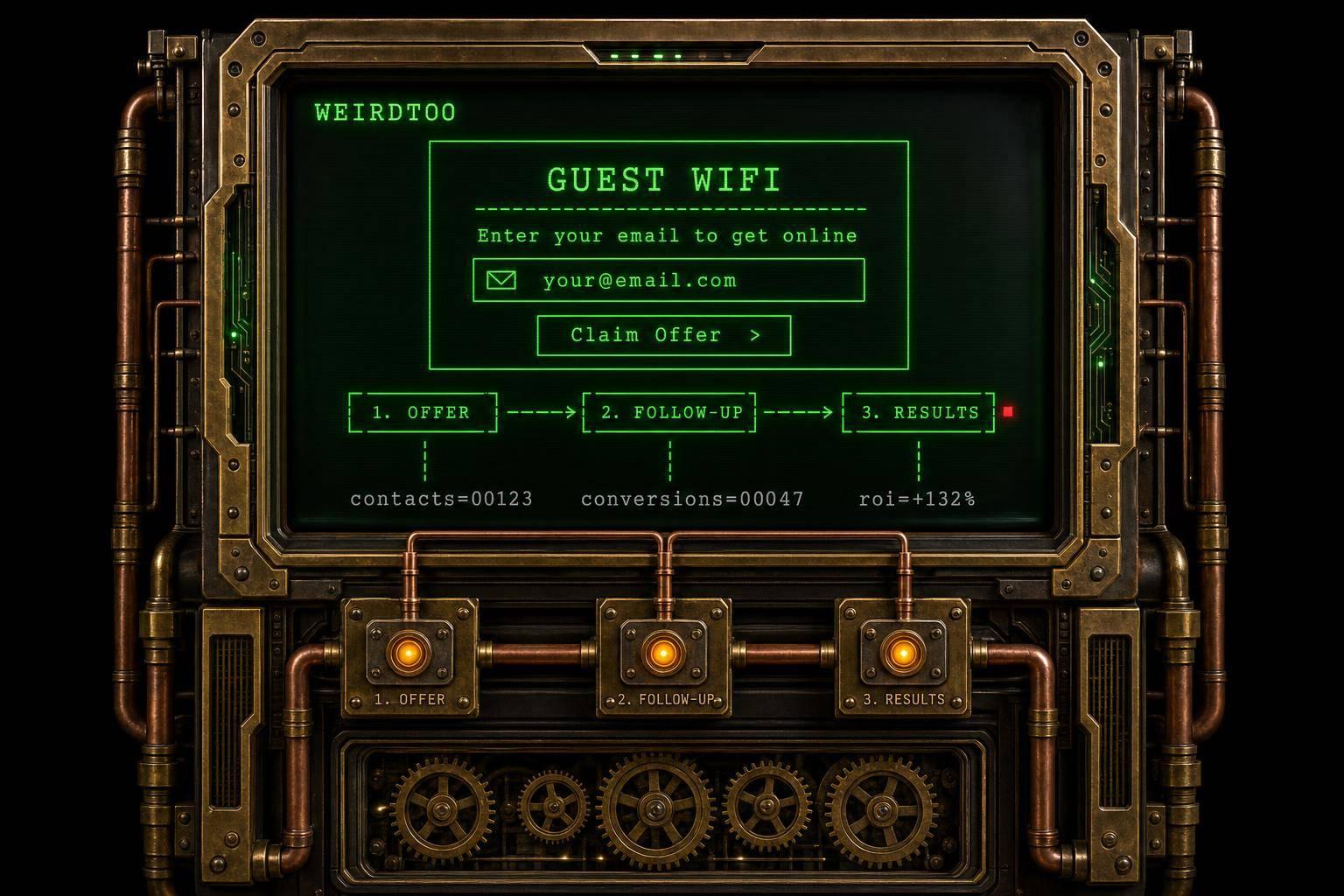
- Show a branded login page
- Ask for email or SMS opt-in
- Put one offer in front of the guest
- Send one follow-up text within 2 hours
- Track 4 numbers each week:
- logins
- opt-ins
- offer redemptions
- repeat visits
Most places stop at “the password is on the wall.” That is not marketing. That is a utility bill with extra steps.
How to Monetize Guest WiFi with WiFi Advertising
sbb-itb-342b8b2
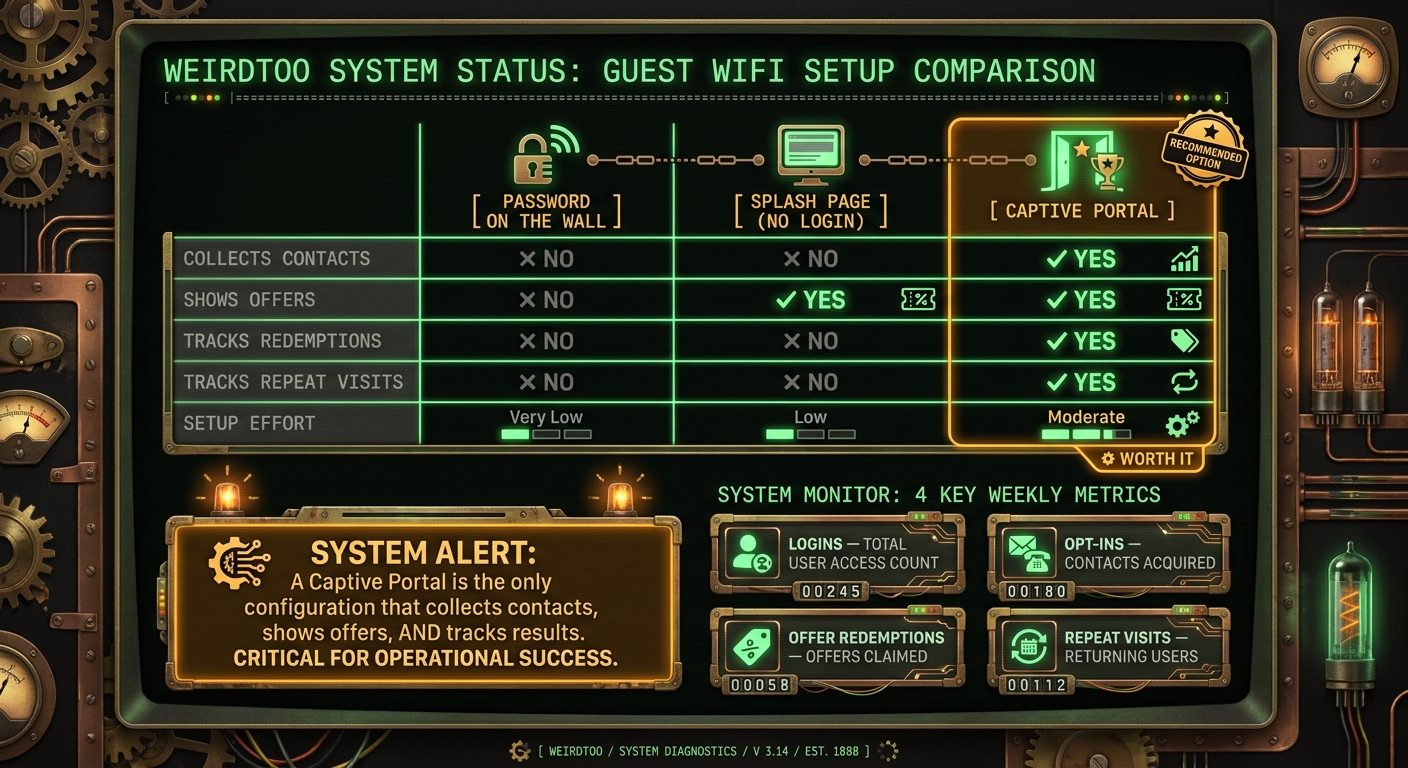
Quick Comparison
Guest WiFi Setup Comparison: Password vs. Captive Portal
| Setup | Collects contacts | Shows offers | Tracks results | Work to set up |
|---|---|---|---|---|
| Password on the wall | No | No | No | Low |
| Splash page without login | No | Yes | Partly | Low |
| Captive portal | Yes | Yes | Yes | Medium |
Short version: if your guest WiFi does not collect a contact and tie it to an offer, it is just free internet. Nice for the guest. Useless for you.
The Problem: A Password on the Wall Has No Marketing Value
No customer list, no owned audience
Shared-password WiFi gets people online. That’s all it does.
You don’t get a name. You don’t get an email. You don’t get a clean way to talk to that person again. So the venue gives out access and gets no marketing asset back.
No place to promote tonight's specials or events
The splash page is the one built-in moment when a guest is already looking at their phone and waiting. That matters more than people think.
It’s the spot to put tonight’s menu, trivia night, a return offer, or whatever matters right now before they drift off to Instagram, texts, and the rest of the internet. A captive portal uses that waiting moment to put tonight’s menu or trivia night in front of them before they move on.
If you never show an offer, you learn nothing. No clicks. No redemptions. No clue what people care about.
No way to know if it worked
Without a login flow, you can see devices on the network. Great. A glowing rectangle connected to WiFi. That tells you almost nothing.
You still can’t see customers, opt-ins, coupon use, or repeat visits. If you cannot track logins, opt-ins, coupon redemptions, and repeat visits, you cannot prove the WiFi is working. If you cannot tie logins to opt-ins and redemptions, guest WiFi is only an internet pipe.
A captive portal fixes the three holes: identity, promotion, and measurement.
The Fix: A Captive Portal That Collects, Promotes, and Follows Up
A captive portal is the branded login page people see before they get on your guest WiFi. It asks for an email address or phone number before access. That one screen is where free internet stops being a giveaway and starts doing a job.
How the login flow works, step by step
The flow is simple. A guest taps your WiFi network. A branded splash page pops up on its own. They enter an email address or phone number, agree to consent and terms, and then they get online.
That beats a password taped behind the bar. A guided login gives you one clean moment of attention. A posted password gives you nothing except more people on the network.
What to put on the splash page
Keep the page tight. No wall of text. No five-button circus.
Use:
- Your venue name and branding
- A short welcome message
- One clear offer, like tonight's trivia night
Show one offer, then get out of the way. The job of the page is not to make them study. The job is to get noticed in about three seconds, then send them online.
One follow-up message that brings people back
Send one SMS within 2 hours of the visit: "Come back this week for $3 off a burger."
That timing matters. If you wait too long, the visit is gone from their head. If you text too much, you become that place. One message tied to coming back this week is enough to test whether the setup can pull people in again.
Once the flow is live, track what it produces. Next comes the part most places skip: checking if it did anything at all.
What to Measure and Which Setup Gives You the Numbers
Once the portal is live, the job is not to admire the setup. The job is to see if it did anything useful.
Not “engagement.” Not a 14-page dashboard nobody will read on a Friday rush. Just this: did it bring in contacts, redemptions, and return visits?
The four numbers that matter
You do not need a long report. You need four numbers: logins, opt-ins, offer redemptions, and repeat visits.
Logins show how many people used the WiFi.
Opt-ins show how many guests gave you a way to reach them.
Offer redemptions show whether the WiFi offer pushed anyone to act [1].
Repeat visits show whether people came back.
Track these weekly. That is enough to spot patterns without turning your guest WiFi into a science project. You will see which nights work, which offers fall flat, and where people drop off.
Password on the wall vs. captive portal
A password gets people online. That is all it does.
A captive portal does the annoying but useful part: it gives you contacts and something you can measure. If you cannot measure it, you are mostly guessing and calling it marketing.
Use the setup that gives you the most useful data with the least friction.
| Approach | Opt-ins | Offers | Redemptions | Setup effort |
|---|---|---|---|---|
| Password on the wall | No | No | No | Very low |
| Plain splash page, no login | No | Yes | No | Low |
| Captive portal | Yes | Yes | Yes | Moderate |
That table is the trade-off in plain English. The password on the wall is easy, but blind. A plain splash page can show an offer, but you still do not know who acted on it. A captive portal asks for a bit more setup, then gives you numbers you can use.
Those numbers tell you whether guest WiFi is earning its place.
Conclusion: Stop Treating Guest WiFi Like a Utility
Here’s the short version. A captive portal turns guest WiFi into a tracked marketing touchpoint.
Key takeaways for a small venue owner
A password-only network gets people online. That’s all it does. It does not give you a contact list, a follow-up channel, an offer in front of the guest, or any way to track return visits. No login form means no contact later. Simple as that.
For a small venue, the job is not complicated:
- collect a contact
- show one offer
- track the result
A captive portal does exactly that. It turns the login moment into a quick trade: the guest gets online, you get a contact and one shot to show a current offer, like tonight’s happy hour or trivia night.
Then watch the only four numbers that matter:
- logins
- opt-ins
- offer redemptions
- repeat visits
Check them often. You’ll see pretty fast which offers work, which ones flop, and which nights bring people back.
If your WiFi is not collecting contacts or measuring redemptions, it is not doing business work. It’s just internet.
FAQs
How does a captive portal actually work?
A captive portal stops a guest at the first Wi‑Fi login.
They join your guest network, try to get online, and hit a login or consent page instead. No internet yet. They only get access after they finish that step.
Until they accept the terms or sign in, their device stays stuck on that limited landing page. That’s the whole move: you turn “What’s the Wi‑Fi password?” into a moment where you can get an opt-in instead of handing out access for free.
What should I put on my WiFi login page?
Stop treating guest WiFi like a utility bill with a password taped to the wall.
Your login page can do two jobs at once. First, it gets people online. Second, it puts what matters tonight in front of them while they’re already looking at their phone: the dinner special, trivia at 8:00 PM, live music, happy hour, whatever is happening right now.
The move is simple. Use the WiFi login page to ask guests to opt in, then show them something tied to that visit. Not a boring “join our list” line. Something current. Something they can use before they finish their first drink.
After they opt in, send one simple email or SMS offer linked to that visit. The point is not to dump them into a dead marketing list and hope for magic. The point is to give them a reason to come back.
Track the stuff that tells you if this is working:
- logins
- opt-ins
- coupon redemptions
- repeat visits
That’s the whole loop. Guest connects. Sees what’s on. Opts in. Gets one follow-up offer. You track what happened.
Most places skip the last part, which is why their WiFi “marketing” turns into theater. If you do not track logins, opt-ins, coupon use, and repeat visits, you are not running a system. You are just putting a form in front of people and hoping for the best.
How do I know if guest WiFi is driving repeat visits?
Track repeat visits tied to the WiFi experience, not just raw connections. A busy room and a long login list can look nice on paper. It can also mean nothing.
Use a captive portal that logs sign-ins and opt-ins, then check whether those same people come back. That is the part that matters. Not "120 people connected." More like: 18 came back this month after first joining on WiFi.
Then look at follow-ups. Did the text or email lead to anything you can count, like a coupon redemption? If not, you do not have a WiFi plan. You have a password on the wall with extra steps.
Current contact path
Need Weird Network WiFi, custom apparel, or scoped help?
Use the contact form; removed product, checkout, research, and newsletter funnels stay offline.