Loading…
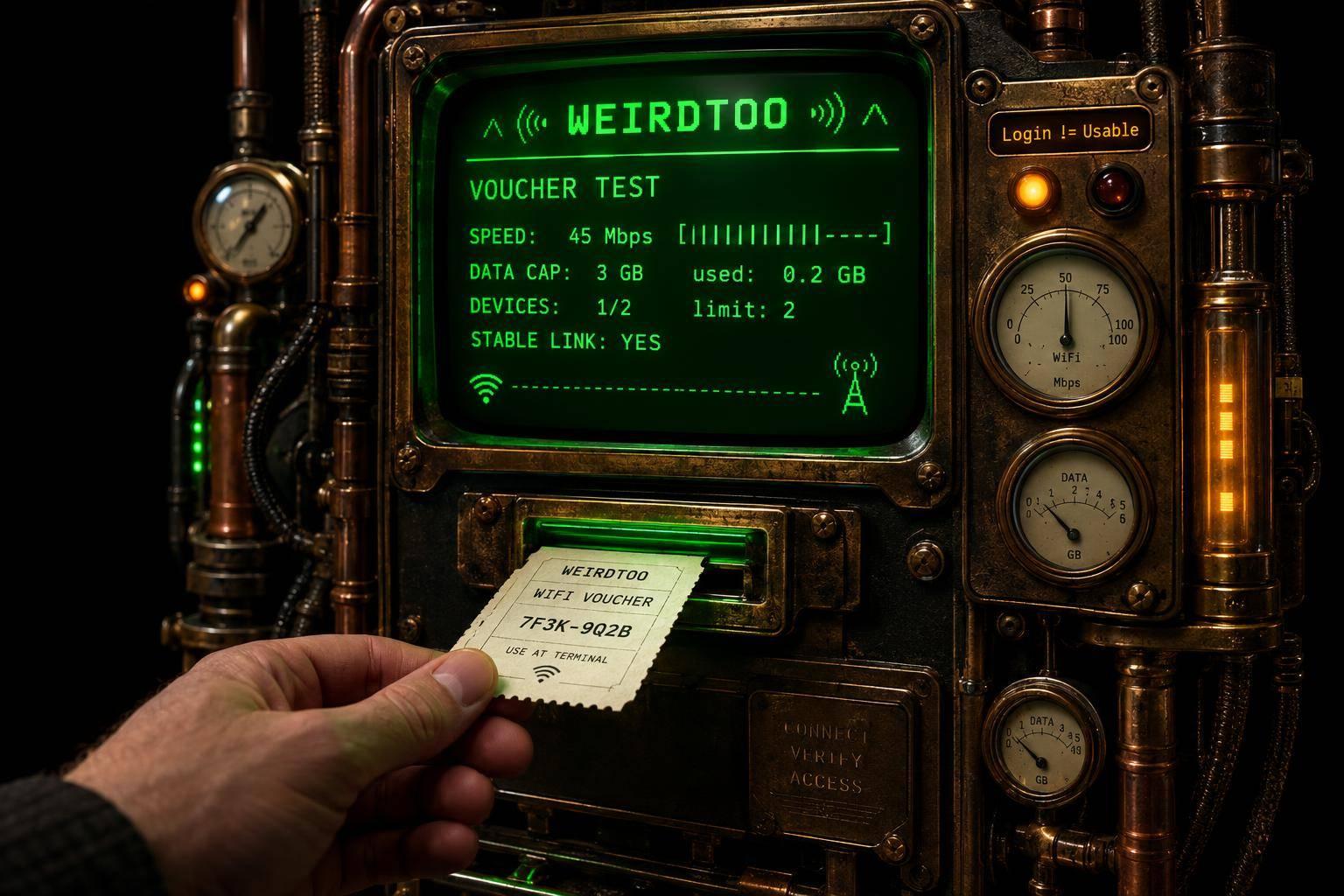
Voucher Codes and WiFi Memberships: Do They Actually Work?
By weirdtoo·October 19, 2026·7 min read
Logging in isn't the test—only a stable, usable connection is. Test short vouchers, check speed, data and device limits before subscribing.
Voucher Codes and WiFi Memberships: Do They Actually Work?
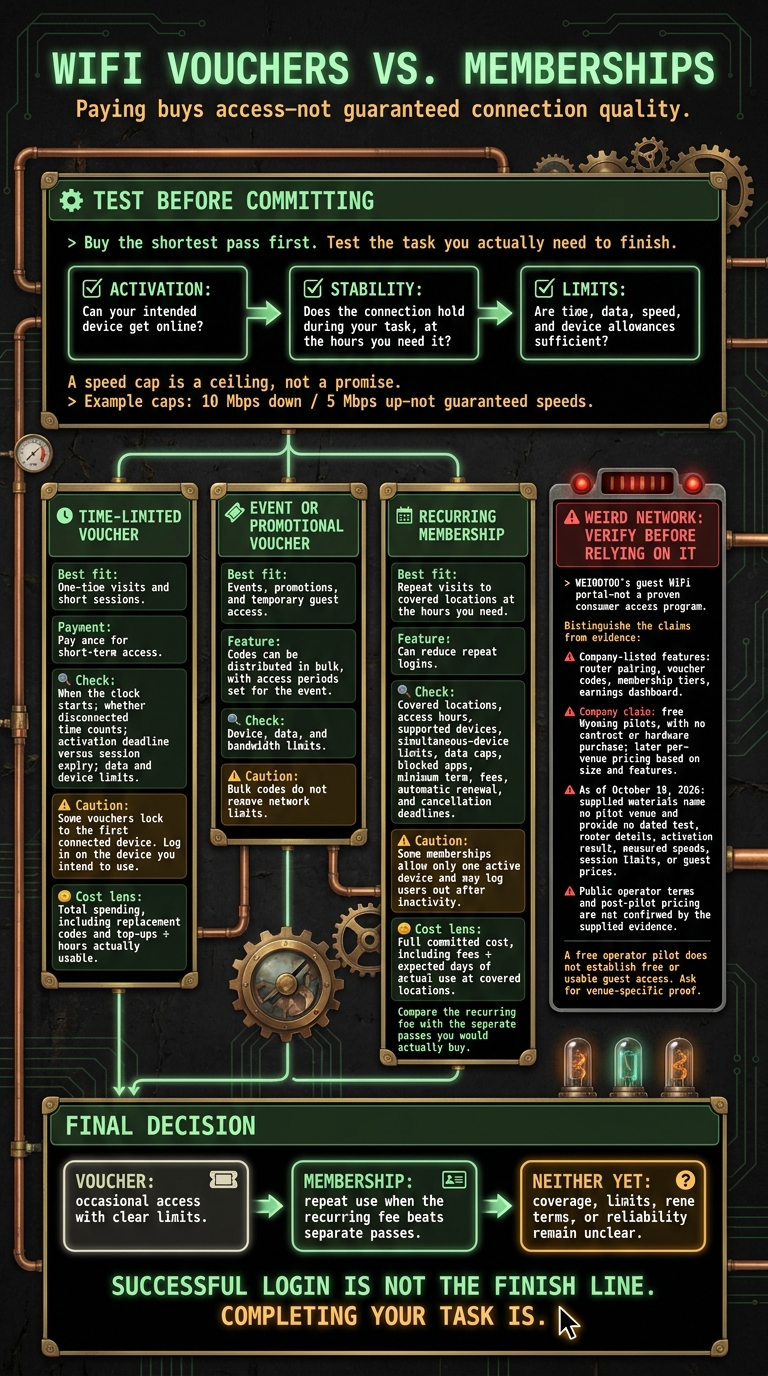
I’d buy the shortest pass first and test the task I need to finish. A voucher or membership pays for access - not a connection that can handle your video call. A 10 Mbps speed limit is a ceiling, not a promise.
Here’s how I’d choose:
- Time-limited voucher: For a short visit. Check when the clock starts, whether disconnected time counts, and the data and device limits.
- Event or promotional voucher: For temporary guest access. Handing out codes in bulk does not remove network limits.
- Recurring membership: For repeat visits. Compare the total fee with separate passes, then check covered locations, renewal dates, and cancellation rules.
- Weird Network: I’d ask for a venue test before relying on it. As of October 19, 2026, the supplied materials name no pilot venue and give no measured speeds or guest prices.
My rule: <u>test activation, connection stability, and limits before paying for longer access</u>. A login screen is not a completed job application.
WiFi Vouchers vs. Memberships: What to Check Before Paying
How to Set Up Paid Guest WiFi with Vouchers – Voucher Manager Tutorial
sbb-itb-342b8b2
1. Time-Limited WiFi Vouchers
Your receipt has a code. It needs to get you online fast and keep you there long enough to finish the task. Join the guest network, open the captive portal, and enter the code from your receipt or card. If the portal won’t load, check that you’re on the right network, try a non-HTTPS site, and turn off your VPN until login finishes. Reconnect the VPN afterward. [1][6][7][8][9]
Log in on the device you intend to use. Some vouchers lock to the first device that connects. Use the code on your phone first, and your laptop may be out of luck. Check the device limit before switching. If the code fails, check for look-alike characters: 0 and O, or 1, I, and l. Staff can check whether it has expired, been used up, or been revoked. [1][6][8]
Time, data, and speed are separate limits.
A voucher may allow two hours of access but still stop service when the data cap is reached. Some systems also cap speed, such as 10 Mbps down and 5 Mbps up, but that is a limit, not a promise. [1][6][7]
A speed cap is not reserved bandwidth. Congestion, weak coverage, and the venue’s internet backhaul still affect your video calls, uploads, and streaming. [1][6][7]
Ask what “expires” means: the deadline to activate the code, or the end of your session. When your time or data runs out, you’ll usually need another code or a top-up. [1][5][6]
Compare the cost per usable hour, not just the time printed on the voucher. Add replacement codes and top-ups to the total, then divide by the hours you could actually use. Before paying again after a failed activation, ask staff how they handle it. [5][6] With a recurring membership, the same calculation becomes a question of monthly cost and renewal terms.
2. Recurring WiFi Memberships
Check the covered locations before you subscribe. A membership is no use if it misses the places you go or the devices you need. Sign-in usually requires a registered email or a venue login through the captive portal. Confirm that your phone and laptop work. Smart TVs and gaming consoles need to load the portal in a browser, or they won’t get through.
Paying doesn’t remove every limit. Some memberships allow only one active device and log you out after inactivity.[10] Check for data caps, blocked apps, and restrictions on switching devices. Access on paper isn’t the same as access you can use.
Test the network during the hours you’ll actually need it. A short-term pass lets you check connection quality before signing up for a longer term.[4] An empty-room test won’t tell you much about your usual busy-hour connection.
Price the access you’ll use, not just the monthly rate. Add up the full committed cost, including fees. Check the minimum term, automatic renewals, and cancellation deadlines. Then divide that cost by the number of days you realistically expect to use covered locations. A cheap month stops looking cheap when the locations don’t suit you - or you’re still paying after you’ve stopped needing access.
WEIRDTOO Weird Network: Confirmed Details and Missing Evidence
Weird Network is WEIRDTOO Company’s guest WiFi portal, not a proven consumer access program. The company lists router pairing, voucher codes, membership tiers, and an earnings dashboard. The supplied evidence does not verify use in practice. As with vouchers and memberships, the test is simple: can you connect and stay connected?
The company says it offers free Wyoming pilots, with no contract or hardware purchase, followed by per-venue pricing based on size and features. But the supplied evidence does not confirm public operator terms or post-pilot pricing. A free pilot for the operator does not mean free - or usable - WiFi for the guest.
As of October 19, 2026, the supplied materials name no pilot venue and provide no dated test, router details, activation result, measured speeds, session limits, or guest prices. An earnings dashboard is not proof that a guest got online.
Before relying on the claim, ask for venue-specific proof. Do not treat Weird Network as broadband infrastructure or a proven service footprint. For visitors and repeat users, the missing terms and connection data leave the actual cost of access - and whether it is worth paying for - unknown.
Pros and Cons for Visitors and Repeat Users
A voucher’s clock may keep running while you’re disconnected. A membership may keep billing until you cancel. For Weird Network or any guest portal, check what happens after you get access - not just how easy it is to buy.
The test is simple: does it activate without trouble, stay connected, and cover your use without hitting its limits?
| Access option | Advantages | Disadvantages | Best fit |
|---|---|---|---|
| Time-limited voucher | Pay once for short-term access. | The timer starts when you redeem it. Disconnected time still counts, which can interrupt work and leave you buying another voucher. [5][6] | One-time visits and short sessions. |
| Event or promotional voucher | Hand out codes in bulk, with access periods set to match the event. | Bulk codes still have device, data, and bandwidth limits. [1][6] | Events, promotions, and temporary guest access. |
| Recurring membership | Can cut down on repeat logins. | You have an account to manage, and the plan can auto-renew unless canceled. [2][11] | Repeat visits when you need access at specific locations and hours. |
Check whether one code covers more than one device. Your phone and laptop may not count as one guest. [6]
For a membership, compare the fee with the vouchers you would actually use - not the visits you hope to make. Check participating locations, access hours, how many devices can connect at once, and cancellation terms. [2][11] Neither payment model guarantees a reliable connection. [4][6]
Final Verdict: Choose What Meets Your Access Needs
Activation, limits, reliability, and cost matter only if you can finish the task.
Logging in is not the test. Getting your work done at a usable speed, without the connection falling apart, is. Try the shortest pass on the task you actually need to complete. [4]
| Choose | When it makes sense |
|---|---|
| Voucher | You need occasional access for a predictable session, with clear time, data, and device limits. |
| Membership | You expect repeat visits, and the recurring fee costs less than buying separate passes. |
| Neither | Coverage, usage limits, renewal terms, or reliability remain unclear. Get answers before paying. |
With Weird Network, check activation, stability, and limits at the venue you plan to use. The payment model matters less than whether the connection works. If you cannot confirm those details, hold off on both options until the service passes that task-based test.
FAQs
How can I test WiFi reliability before paying?
You usually can’t test reliability before buying a voucher. You need a login to get online. Before paying, check that your device can load the captive portal, the page where you sign in.
If there’s a free tier, try it first. Paying more rarely fixes an unstable connection.
If there’s no free option, buy the shortest pass available - such as a 1-hour pass. Test the connection before paying for a longer or more expensive membership.
Can I get a refund if paid WiFi fails?
Refunds depend on the venue’s policy, not the technology. If your voucher has expired, is invalid, or won’t connect because of a hardware problem, contact venue staff. Only staff can approve refunds for damaged or nonworking voucher cards, fix account locks, or deal with service outages.
Before paying for a longer or more expensive plan, buy the smallest time block available. Test whether the connection holds up before spending more.
How many visits make a WiFi membership worthwhile?
A $10.00 membership for 30 days [1] costs less only if daily or hourly vouchers for your planned visits would add up to more than $10.00 [3][1]. How often you visit - and what each one-off visit costs - determines which option makes sense.
The catch: most standard vouchers keep running once activated [2]. The clock does not stop when you leave, so count the access time you will actually use, not just the hours printed on the voucher.
Current contact path
Need custom apparel or scoped help?
Use the contact form; removed product, checkout, research, and newsletter funnels stay offline.