Loading…
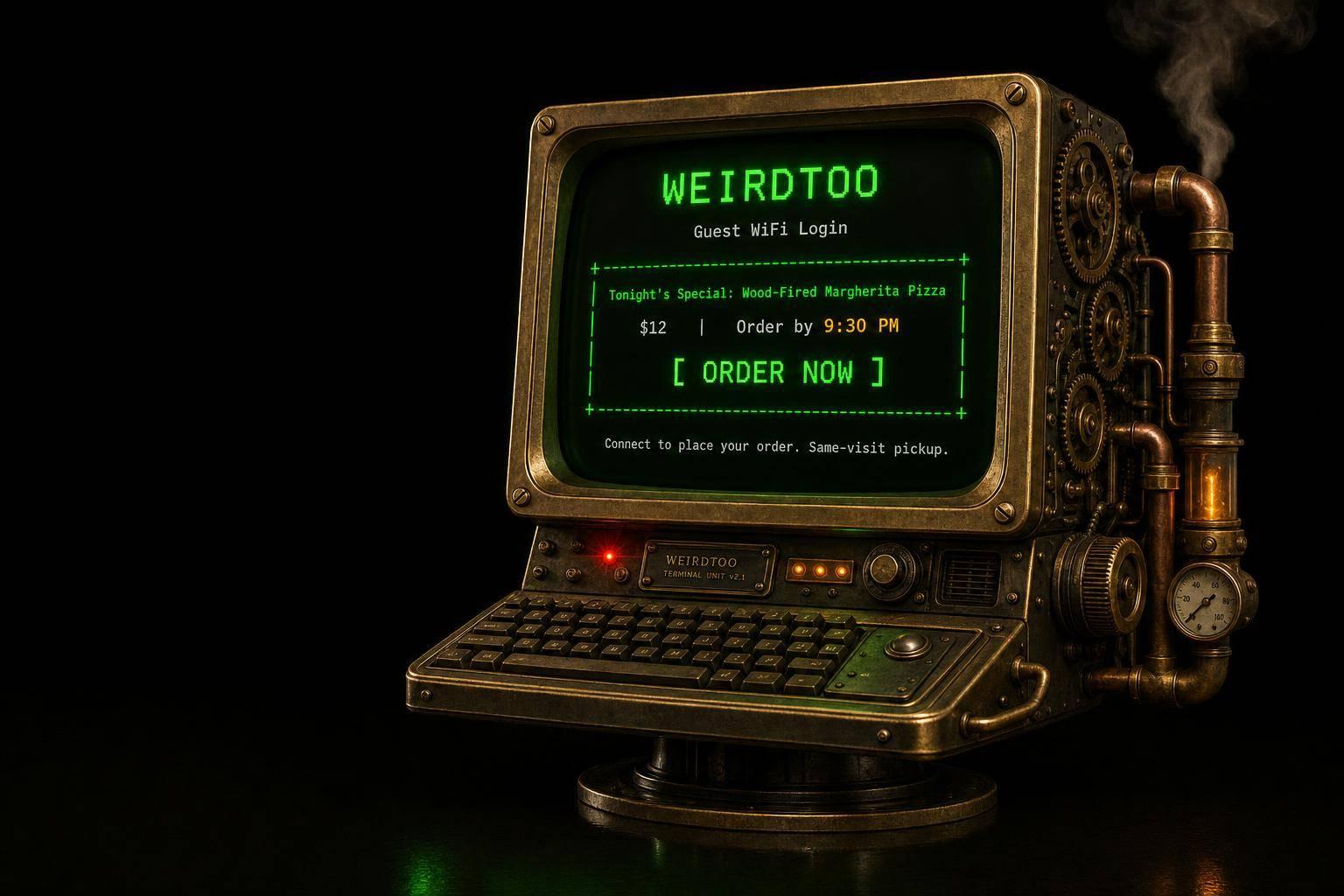
How to Promote Tonight's Menu on Your WiFi Login Page
By weirdtoo·September 21, 2026·10 min read
Use your guest WiFi to feature one nightly special with price, cutoff time, and a single CTA to drive same‑visit orders.
How to Promote Tonight's Menu on Your WiFi Login Page
Your guest WiFi should sell one thing tonight, or get out of the way.
If I ran a bar, I would use the WiFi login page for one current offer, with a price, a cutoff time, and one next step like Ask your server. That works better than a paper password sign because guests see it when they connect, right when they are deciding on one more drink or a late plate.
Here’s the whole play in plain English:
- Show one offer only: one dish, one drink pairing, or one late-night special
- Keep the copy short: item, price, time limit, CTA
- Update it before service: every day, same format, one person owns it
- Send guests somewhere useful after login: mobile menu, specials page, or order page
- Test it on a phone: reconnect to guest WiFi and run the full path
- Keep guest WiFi off your POS network: free internet is not worth a payment mess
A few hard truths:
- If the special is sold out by 8:15 PM, take it down
- If staff need router access to edit the page, it will stop getting updated
- If you cram in three promos, guests ignore all three
- If Friday still shows Tuesday’s burger deal, the page becomes wallpaper
About 85% to 90% of U.S. adults own a smartphone, which means most of your tables already have the screen in hand. That does not mean every WiFi login page will drive orders. Most do nothing because the setup is bloated, stale, or built by someone who loves dashboards more than service.
If I were setting this up, I’d treat the login page like a tiny nightly sales slot: one image, one offer, one action, done.
Unifi Guest Portal and redirection using promotional url
sbb-itb-342b8b2
What to Put on the Login Page
Use the portal for one nightly offer a guest can act on fast.
This is not the place for your whole menu, your life story, and a banner for next month's trivia night. Someone is standing there waiting for WiFi. You have a few seconds. Spend them well.
Put tonight's offer in front of them right when they connect. Keep it to one image, one special, and one clear CTA.
Write Short Menu Callouts Guests Can Act On Fast
Every word on the login screen needs to earn its keep.
Write menu callouts so a guest can read them in a few seconds and know what to do next. Short. Plain. Direct. A cutoff time helps because it adds urgency without sounding like a late-night infomercial. Something like Available until 9:30 PM. works.
A priced featured dish is even better. It tells people what the thing is and what it costs, which removes the little bit of friction that kills small impulse orders. Then give them one prompt: Ask your server or Order now.
Short, priced, time-limited copy gives attention somewhere to go.
Pick Offers That Fit the Login Screen
The login page works best for:
- one featured dish
- one drink pairing
- one limited-time special
That offer needs a clear price and a short description.
Keep the portal to one featured item. That's the whole discipline here. If you cram in three offers, none of them lands. The portal stays focused, and the full menu can live on the post-login page.
When the Login Page Beats Signs and Server Mentions
Use the portal for the one offer every guest should see.
Use signs and servers for the second-tier stuff. The portal handles the headline. Other touchpoints handle the details.
That split matters. Signs get ignored. Server mentions depend on timing, memory, and whether the table is mid-conversation. The login page gets a clean shot because the guest is already looking at the screen. Next, turn that offer into a nightly update routine so it stays current.
How to Set Up Nightly Menu Promotions
Do this before service. Same time, same format, no fuss.
The point is not to make art. The point is to keep the portal current so a guest sees tonight’s thing, not last Thursday’s shrimp special.
Build a Simple Nightly Update Routine
Use one plain template. Staff should be able to update it in a few minutes, not stand there poking at a dashboard while the first table is already asking for water.
Choose the special, write the copy, and publish it before doors open.
| Field | Example |
|---|---|
| Tonight's special | The dish or offer being featured tonight |
| Price | Current price |
| Drink pairing | Suggested drink pairing |
| Prompt | Ask your server |
Assign this to one person per shift. One owner, one manager, one bartender on duty - pick someone. That keeps the update process simple and avoids confusion [2].
Send Guests to the Right Page After Login
After the promo screen, give guests one fast next step. Not five buttons. Not a tiny maze.
Send guests straight to a mobile menu, specials page, or order page after login [1].
If the page is slow, cluttered, or weird on a phone, the whole thing falls apart. People came for dinner, not a scavenger hunt.
Keep the Setup Fast and Phone-Friendly
Test the full flow on a phone before service. Not on your office laptop. Not by saying “it should work.”
On a phone, forget the guest network, reconnect, and test the full path: login screen → redirect → menu page [3]. If one step breaks, fix that step before guests hit it.
Keep guest WiFi on a separate network from POS [2]. Do not get cute with this. Free internet for diners should not be sharing space with the system that takes payments. That’s how small shortcuts turn into long nights.
Using Weird Network and Other Portal Tools
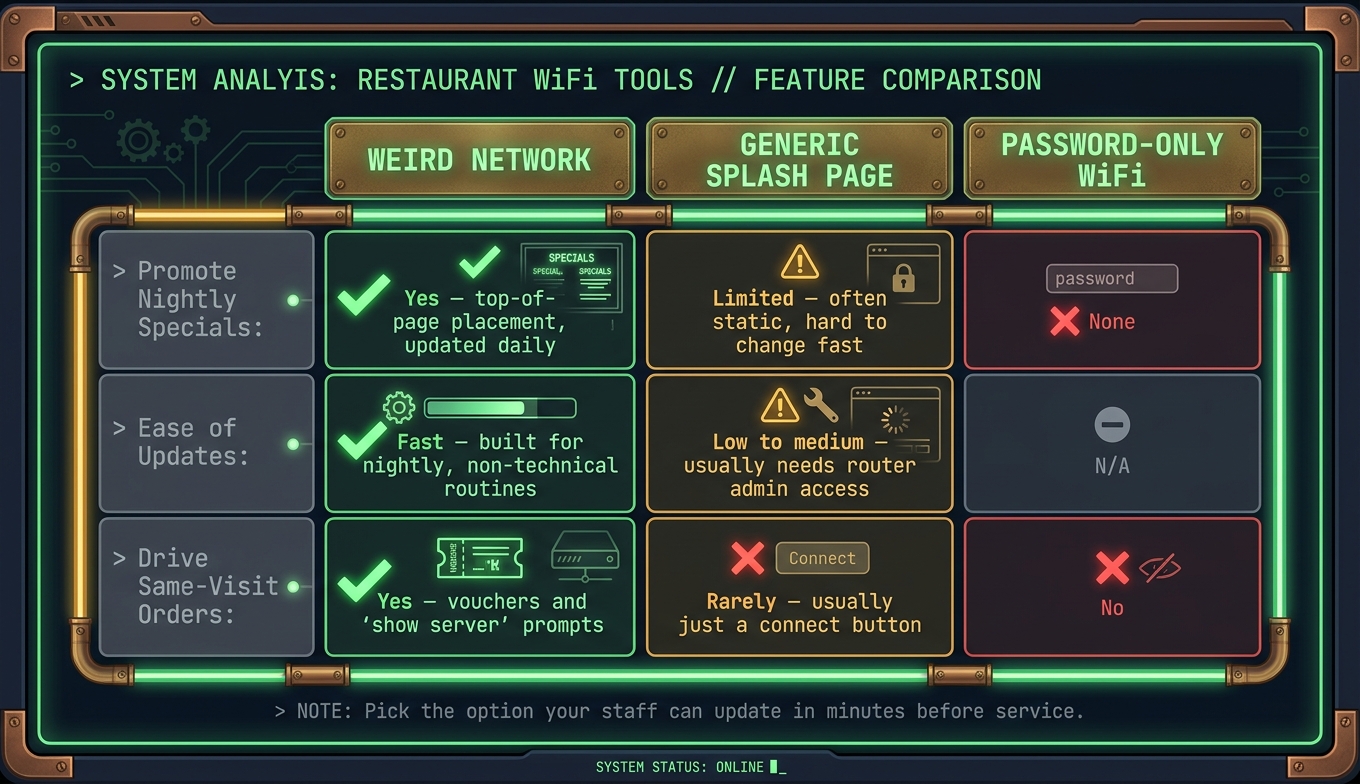
WiFi Login Page Tools for Restaurants: Feature Comparison
Once your nightly update routine works, you need a tool that puts the offer where people will actually see it.
Not buried in Instagram. Not stuck on a chalkboard nobody reads. Right in front of them when they join WiFi.
How Weird Network Publishes Tonight's Specials
If tonight's offer is ready, the next step is simple: use a portal that lets staff publish it fast.
Weird Network is a guest WiFi login page built for bars, cafes, and restaurants. Instead of handing out a password, it shows guests a login screen your venue controls. Tonight's special sits first. A drink pairing goes under it. Then a prompt like "show this screen to your server" gives people a reason to order at the table.
That part matters. The portal should show tonight's special the second guests connect. No hunting. No extra taps. No fake automation dance where someone still has to dig through router settings at 4:55 PM.
Use the portal's editor to post the special before service. Bartenders or managers can update it without developer help. That is the bar. If updating tonight's offer needs a ticket, a login nobody has, or one guy named Chris who "handles tech", it will not happen.
Other Options If You Already Have Guest WiFi
If you already use Zenreach, Bloom Intelligence, Purple WiFi, Beambox, or something similar, check one thing first: can staff edit the splash page before service without router admin access?
That is the test.
If the answer is no, the tool is not built for nightly specials, no matter how nice the rest of the feature list looks. Lots of WiFi tools are fine at analytics, lead capture, and other dashboard stuff. Fine. But if your bartender cannot swap out $8 Old Fashioned + rye flight in two minutes, it fails the Tuesday-night test.
Weird Network vs. Generic Splash Pages vs. Password-Only WiFi
The whole question is whether the tool can push tonight's special without extra steps.
| Feature | Weird Network | Generic Splash Page | Password-Only WiFi |
|---|---|---|---|
| Promote nightly specials | Yes - top-of-page placement, updated daily | Limited - often static, hard to change fast | None |
| Ease of updates | Fast - built for nightly, non-technical routines | Low to medium - usually needs router admin access | N/A |
| Drive same-visit orders | Yes - vouchers, "show server" prompts | Rarely - usually just a connect button | No |
Password-only WiFi does nothing for tonight's special. A generic splash page is better, but only if staff can update it before each shift without touching router settings.
Pick the option your staff can update in minutes before service. If it takes longer than cutting a lime, it is probably too much work.
Conclusion: Keep Tonight's Offer Short, Visible, and Easy to Order
Use your WiFi login page to put tonight's special in front of guests the second they connect. Then send them straight to your mobile menu or your Tonight's Specials page after login [1].
That sounds small. It is small. That is why it works.
A guest is already on their phone. They are already waiting a second for WiFi. You are not fighting for attention against the band, the bartender, or their fries. You have one clean moment. Use it.
The catch is boring, but it matters: the offer has to change every night. If Tuesday's burger deal is still sitting there on Friday, the portal turns into wallpaper. People stop seeing it. You built a sign and then forgot to change it.
If you need this to stay fast, the editing part matters more than the fancy part. Weird Network is built for nightly menu promos: a branded captive portal that puts tonight's special first and sends guests to the right page fast.
FAQs
How often should I update the WiFi login page?
The search results don’t give a set schedule for updating a WiFi login page with daily menus or specials.
So the honest answer is simple: no specific update frequency is stated in the available info.
If you run a place with a menu that changes every day, that gap matters. A login page with last Thursday’s soup special is worse than a plain one. It makes the whole setup look half-dead.
What the source gives us is this: use the WiFi login page to promote menus or specials. What it does not give us is a rule like “update daily,” “weekly,” or “before every shift.”
That means you shouldn’t pretend there’s a magic number here. There isn’t one in the material.
What kind of menu offer works best on a login page?
The search results don’t answer the part that matters: what to put on the WiFi login page so people actually notice it, and how to push menu offers there without making the whole thing feel like a pop-up from 2009.
That gap matters.
A WiFi login page is not magic. It’s just one small pause before someone gets online. But it’s a useful pause. The guest is already looking at their phone, already waiting, and not yet buried in Instagram or email. If you waste that screen on a logo and a vague welcome message, that’s on you.
For menu offers, the ones that usually work best are simple, fast to grasp, and tied to an immediate decision. Think:
- A time-based offer like happy hour, lunch combo, or late-night special
- A high-margin add-on like fries, dessert, or a second drink
- A slow mover you need to push without making it look desperate
- A staff pick or limited item if you want attention without cutting price
What usually fails? Big menus. Too many buttons. Generic discounts with no reason to care. “Check out our menu” is wallpaper. “$5 off your second cocktail before 7:00 PM” is at least a real sentence with stakes.
Promotion strategy on the WiFi page should be just as plain. Put one main offer in front of people. Use a clear button. Send them to the right place, not your homepage, not a PDF, not some link maze your cousin built in 2018.
A few rules help:
- Keep the offer tied to the visit happening right now
- Make the value obvious in under 5 seconds
- Use one action: view menu, claim deal, join text list, that’s it
- Change the offer by time of day or day of week if your system allows it
If you run a bar on a slow Tuesday, don’t show the Friday live music banner all week and hope for the best. Show the Tuesday thing. Burger and beer. Trivia at 8:00 PM. Half-off wings after 6:00 PM. The screen should match the room people are standing in.
The awkward truth: there is no single best menu offer for every WiFi login page. It depends on the venue, traffic, price point, and what you’re trying to move. A coffee shop near a college campus may get more from a pastry-and-drink bundle. A neighborhood bar may do better with a second-round prompt. A fast-casual spot may want to push online ordering or loyalty signup.
So yes, the search results are missing two useful pieces: which offers tend to work on WiFi login pages, and how to present those offers without tanking the user experience. That missing layer is where the money is.
Who on staff should manage nightly promo updates?
Pick one person to own the WiFi login page. Nightly menu changes, daily specials, event promos, all of it.
That person should handle the update, check that it went live, and look over the portal on a regular basis so old promos do not sit there for three weeks like a dead houseplant.
A single owner cuts down the usual mess. No crossed wires. No “I thought Sam changed it.” No stale happy hour deal showing up on a Thursday when it ended on Monday.
If your bar runs on nightly specials, the login page needs to match what is on the board. One person in charge makes that far more likely.
Current contact path
Need custom apparel or scoped help?
Use the contact form; removed product, checkout, research, and newsletter funnels stay offline.