Loading…

How to Set Up a Custom Support Portal
By weirdtoo·April 25, 2026·17 min read
Learn how to create a custom support portal to enhance customer service, reduce support tickets, and cater to underserved communities.
How to Set Up a Custom Support Portal
Want to improve customer service while cutting costs? A custom support portal is your answer. It allows ISPs to provide 24/7 self-service tools, reduce support tickets by up to 30%, and increase customer satisfaction by 20%. Here's what you need to know:
- Why It Matters: Customers prefer solving issues on their own - 69% say so. A portal centralizes tools like ticketing systems, knowledge bases, and troubleshooting guides.
- Key Features: Mobile-friendly design, bilingual support, and emergency contact options cater to underserved areas like rural communities or trailer parks.
- Setup Steps: Define user needs, choose software (SaaS, open-source, or custom-built), set up a secure subdomain, and ensure ADA compliance.
- Ongoing Management: Update content regularly, track metrics, and prioritize security with backups and encryption.
Bottom Line: Custom portals make support faster, easier, and more efficient for both ISPs and their customers. Ready to get started? Focus on user needs, the right software, and strong management practices to build a portal that works for you.
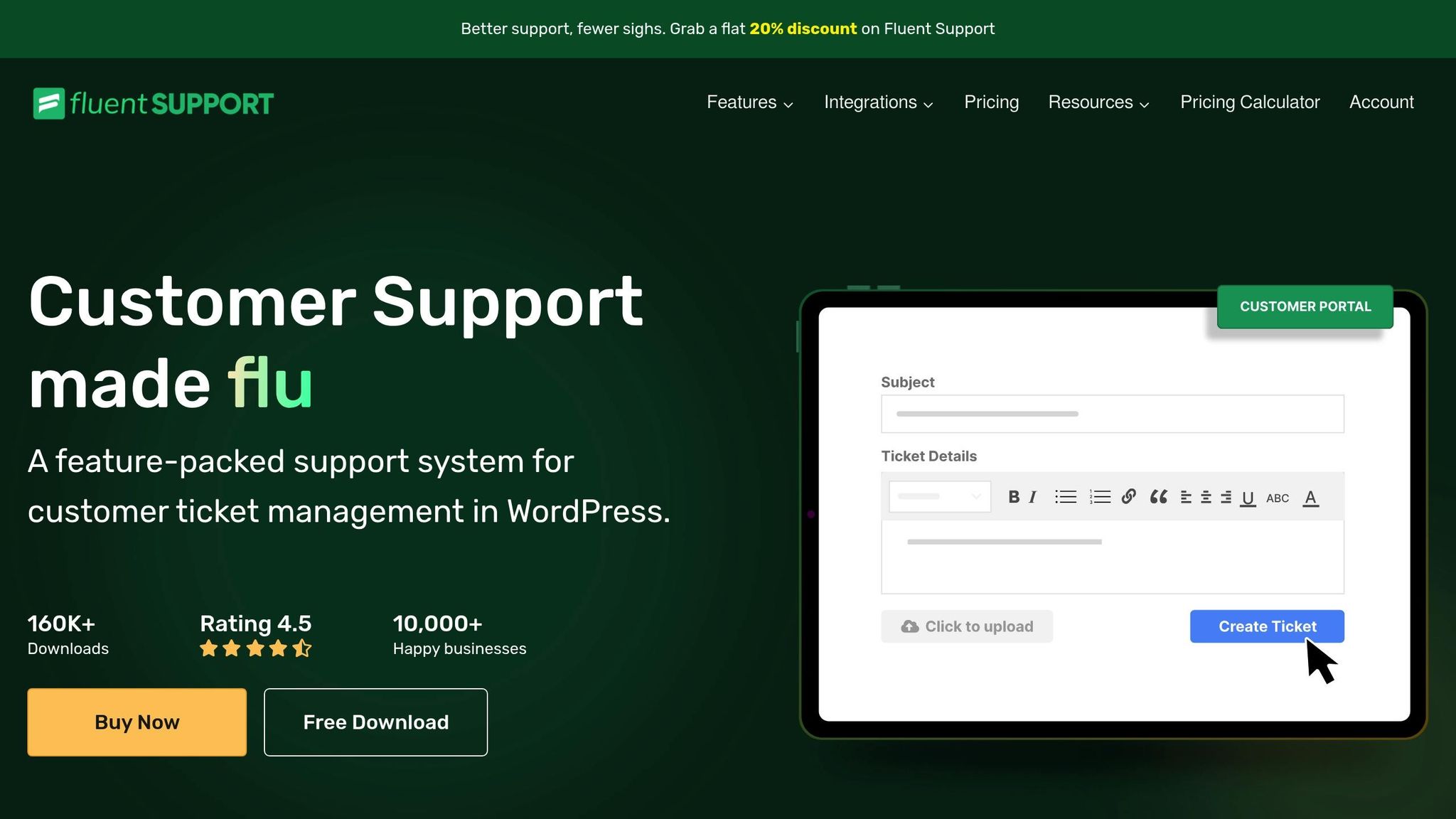
Create a CUSTOMER SUPPORT PORTAL with Fluent Support
Planning and Setup Requirements
Careful planning is essential to ensure your support portal effectively meets the needs of your community.
Define User Needs and Required Features
Understanding your customers is the foundation of building a support portal that truly serves them. Communities in trailer parks or rural areas often face unique challenges, such as varying levels of technical comfort, preferred devices, and connectivity issues, compared to urban users.
Start by surveying your customers to learn about their communication habits, device preferences, and typical times they seek support. Based on this feedback, consider including key features like:
- A ticketing system for tracking support requests
- A searchable knowledge base for quick answers
- Video tutorials to address common problems
For critical situations, such as internet outages, provide clear emergency contact options. In underserved areas, outages can disrupt essential services, so customers need a straightforward way to escalate issues when self-service tools fall short.
Since many rural and trailer park residents rely on smartphones as their primary internet access, make sure your portal is mobile-friendly. Additionally, if your customer base includes Spanish-speaking users, offering bilingual support can make a big difference in accessibility and satisfaction.
Once you’ve nailed down the user requirements, it’s time to tackle the technical setup.
Complete Technical Setup Requirements
With the user needs defined, focus on building a solid technical foundation to support your portal’s features.
Start by creating a dedicated subdomain for your support portal, such as support.yourcompany.com, and ensure proper DNS configuration. Use trusted domain registrars and set up DNS records to connect seamlessly to your hosting platform.
Security and accessibility should be top priorities. Implement SSL encryption to protect user data, and design your portal to meet ADA standards with features like alt text for images and keyboard-friendly navigation. Establish strong privacy controls by outlining clear policies, setting data retention limits, and providing customers with options to access their data.
If you’re using a cloud hosting solution, choose a provider with data centers close to your service area to ensure fast and reliable performance. Make sure your portal integrates smoothly with tools like billing software, CRM platforms, or network monitoring systems to streamline operations and avoid duplicate data entry.
Don’t overlook security measures like two-factor authentication for administrators, and set up regular backups and updates to keep your system running smoothly. Lastly, account for ongoing costs, such as hosting fees, SSL certificate renewals, licensing, and maintenance, to ensure your portal remains sustainable over time.
Choosing Support Portal Software
Selecting the right support portal software plays a key role in how well you can support your customers and streamline your daily operations. Your choice affects everything from customer satisfaction to how efficiently your team handles requests. Let’s break down the options.
Compare Software Options
When it comes to support portal software, you’ll typically find three main options: SaaS platforms, open-source solutions, and custom-built systems. Each has its own pros and cons, depending on your ISP’s size, budget, and technical capabilities.
- SaaS Platforms: These cloud-based solutions are quick to set up and come with features like ticketing systems, knowledge bases, and user authentication. They usually operate on a subscription model, making it easy to scale as your business grows. The big draw? They’re ready to use almost immediately with minimal technical setup. However, keep in mind that customization and control over data hosting may be limited.
- Open-Source Platforms: If your team has strong technical expertise, open-source software can be a cost-effective and flexible choice. These platforms often include core features like ticketing and user management without licensing fees. The trade-off? You’ll need to handle hosting, updates, and any customizations yourself. This is a solid option if you want full control over your support tools.
- Custom-Built Solutions: For ISPs with unique needs or those serving specialized markets, a custom-built system could be the way to go. While the upfront costs can be significant, these solutions are tailored to your exact requirements and can integrate seamlessly with your existing billing or network management tools.
No matter which option you choose, look for platforms that provide end-to-end ticket management - think automatic routing, priority settings, and email integration. It’s also crucial that the system syncs with your existing customer database and integrates smoothly with tools like billing software and network monitoring systems. This ensures everything works together seamlessly.
Set Up Branding and Local Settings
Your support portal should reflect your ISP’s brand and cater to your customers’ local needs. A well-branded portal not only looks professional but also builds trust - especially important if you’re serving close-knit communities, like rural areas where personal connections matter.
Most platforms allow for basic branding, such as adding your logo, customizing colors, and using your domain name. These small touches create a consistent experience across all customer interactions.
For ISPs serving diverse communities, multi-language support is a must. For example, in states like Wyoming, a significant number of Spanish-speaking residents live in underserved areas. Choose a platform that allows interface translation and lets users select their preferred language.
You’ll also want to configure settings for U.S. standards, such as:
- Currency displayed as dollars ($)
- Dates formatted as MM/DD/YYYY
- Temperatures in Fahrenheit (°F)
- Distances measured in miles
- Time zones adjusted to match your service area
Handling time zones correctly is especially important if your customers are spread across multiple zones. Displaying support hours and ticket timestamps in their local time helps avoid confusion and improves the overall experience.
Review WEIRDTOO LLC's Solutions
To see how tailored support can make a difference, take a look at WEIRDTOO LLC and their specialized ISP support portal. Based in Alpine, Wyoming, WEIRDTOO LLC focuses on helping ISPs that serve rural and underserved areas, such as trailer parks and small businesses.
Their platform integrates smoothly with HotspotAdmin systems, giving ISPs access to both network management tools and traditional support features. It includes searchable knowledge bases, ticketing systems, and video tutorials designed to address common rural connectivity challenges. For example, they offer detailed equipment guides for hardware often used in trailer parks and other remote locations. Plus, their emergency contact tools ensure critical issues are prioritized.
WEIRDTOO LLC also provides a branded experience through their dedicated support site, support.weirdtoocompany.com, which separates customer support from their main site content. This professional setup reinforces their commitment to quality service.
What’s more, their revenue-sharing models help smaller ISPs by reducing upfront costs. Instead of traditional equipment markups, they offer flexible service tiers - from free basic plans to premium options that can handle thousands of users. Features like weekend-focused support, 24/7 remote monitoring, and advanced tools such as social login, video advertising, and analytics make their portal a standout choice for niche markets.
WEIRDTOO LLC’s approach highlights how a well-designed support portal can address specific community needs while maintaining a high standard of service.
Setup and Customization
After selecting the right support portal software, the next step is building your portal. This part requires careful planning to ensure the structure, functionality, and branding align with your ISP's specific needs. A well-organized portal not only enhances user experience but also ensures efficient support delivery.
Build Portal Structure
The backbone of any effective support portal is its structure. It should reflect the core features you plan to offer, such as Partner Login (integrated with tools like HotspotAdmin), Knowledge Base, Ticket System, Video Tutorials, Equipment Guides, and Emergency Contacts [1]. A logical, intuitive structure not only makes navigation easier but also helps establish trust, especially in communities that may feel underserved.
Pay special attention to the Partner Login section. For many users, this is the entry point to advanced tools and account management. Integrating this login with existing systems can eliminate the hassle of duplicate credentials, streamlining the user experience.
Navigation should follow a clear hierarchy. Highlight frequently accessed sections - like the Ticket System and Knowledge Base - on the main menu. Use icons or color coding for quick identification, and ensure the search bar is prominently placed for easy access. Since many users will access the portal on mobile devices, make sure the design is responsive and works seamlessly on smaller screens.
For inspiration, consider the "command center" approach used by WEIRDTOO LLC. Their support terminal presents users with clearly labeled options such as "Submit Support Ticket", "Access Knowledge Base", "View System Status", "Equipment Diagnostics", and "Emergency Protocols." This straightforward layout simplifies navigation and reduces the need for additional support calls.
Add Core Features
Once the structure is in place, the next step is integrating essential tools that improve functionality and user satisfaction.
- Ticketing System: Make it easy for users to submit, track, and respond to support requests. Customize fields to capture details like service location, equipment type, and issue category. Enable features like ticket export with selected data fields and email notifications to keep communication seamless. Grouping tickets by category or team can also help route requests efficiently.
- Knowledge Base: A well-organized Knowledge Base is a must. It should be searchable and categorized by topics, offering clear step-by-step guides, FAQs, and troubleshooting tips. Adding images or video tutorials can make the content even more accessible. Regularly updating the Knowledge Base ensures users find accurate, up-to-date information.
- Diagnostic Tools and System Monitoring: Empower users to troubleshoot on their own by integrating diagnostic widgets and system status monitors. These tools can allow basic tests or provide real-time updates on network health and outages. Not only does this reduce the load on your support team, but it also gives users immediate clarity on issues.
- Security Measures: Protecting user data is critical. Implement secure authentication methods like single sign-on (SSO) or two-factor authentication. Use role-based access controls to restrict sensitive information, ensure all traffic is encrypted with HTTPS, and review permissions regularly as your user base grows.
Apply Branding and Local Settings
Your portal should reflect your company's identity and meet local standards. Use your brand's colors, fonts, and design elements to create a consistent look. For ISPs serving tight-knit communities, these personal touches can foster trust and strengthen local connections.
Set up a dedicated support subdomain (e.g., support.yourcompany.com) to establish professionalism and separate the portal from your main website. This approach, used by WEIRDTOO LLC, helps create a distinct, branded experience.
For U.S.-based users, localizing the portal is essential. Display currency in dollars ($), use the MM/DD/YYYY date format, and present time in a 12-hour format with AM/PM indicators. Measurements should appear in imperial units, temperatures in Fahrenheit, and numbers formatted with commas for thousands and periods for decimals. All content should follow American English spelling conventions.
Before going live, test every aspect of the portal in a staging environment. Verify that login processes, ticket submissions, and Knowledge Base searches work seamlessly. Check that branding elements display correctly across different devices and browsers. Involve a small group of trusted customers or partners to review the portal and provide feedback on usability - this can help identify any last-minute issues before launch.
sbb-itb-342b8b2
Launch and Ongoing Management
Once your portal is fully customized and thoroughly tested, the next step is launching it effectively and setting up the systems needed to keep it running smoothly over time. This phase is critical - it determines whether your support portal becomes a reliable tool or falls short of expectations. Careful preparation is key to ensuring long-term success.
Test and Launch the Portal
After customization, it's time to confirm that everything works as intended. Start with load testing to make sure the portal can handle expected traffic without slowing down or crashing. Go through all the support workflows step by step, from logging in to submitting tickets and searching the knowledge base. Don’t forget to check mobile responsiveness - many users will access the portal on their phones or tablets.
Test role-based accounts by simulating ticket submissions to verify that workflows run smoothly. Ensure automated email notifications are triggered correctly and that escalation procedures activate when necessary.
When you're ready to launch, consider hosting the portal on a dedicated subdomain. For example, WEIRDTOO LLC uses this approach to create a professional and branded support experience.
A soft launch can be a smart move. Start with a small group of trusted customers or partners to identify any lingering issues. This allows you to gather feedback on usability and functionality while addressing problems before the full rollout. Document any issues that arise, and prioritize fixes based on urgency and long-term impact.
A smooth launch lays the foundation for successful ongoing management.
Set Up Management Processes
Once the portal is live, structured management processes are essential for maintaining its performance. Start by establishing regular content update cycles for your knowledge base. Review and refresh articles monthly to keep them accurate - outdated guides or incorrect contact details can frustrate users and increase the number of support tickets.
Keep an eye on key metrics like response times, resolution rates, and customer satisfaction. For example, you might set a goal to acknowledge tickets within 2 hours during business hours and resolve 80% of issues within 24 hours. Track these metrics weekly and make adjustments to staffing or workflows if targets aren’t being met.
Set up a feedback system to collect user input on the portal’s functionality and content. Simple tools like star ratings on knowledge base articles or post-resolution surveys can provide actionable insights. WEIRDTOO LLC, for instance, uses a small, personalized support team to gather feedback and quickly implement improvements.
For more complex issues, establish clear escalation procedures. Define when a ticket should be escalated and ensure communication protocols are in place to keep users informed. Train your team on these procedures to maintain consistency and avoid confusion.
Maintain Security and Compliance
Security is a cornerstone of ongoing portal management. Start by enabling daily automated backups and scheduling monthly security reviews. Keep your portal software and plugins updated with the latest patches to protect against vulnerabilities.
For organizations like WEIRDTOO LLC, which serves trailer parks and rural communities, data privacy is particularly important. These users often have heightened concerns about how their information is handled. Make your data policies clear and provide simple ways for users to update or delete their information.
Use uptime monitoring tools to track portal performance and receive alerts about outages or slowdowns. Set up automated monitoring for crucial functions like ticket submissions and user logins. Aim for a high availability rate - 99.5% uptime or better - and communicate any planned maintenance in advance.
Review your privacy policy and terms of service at least once a year, or whenever you introduce features that involve new data collection. Stay compliant with applicable regulations and industry standards, especially if you operate across state lines or handle sensitive customer information.
Regularly conduct security audits, either internally or with third-party specialists, to identify potential vulnerabilities. Document all security measures and establish clear incident response procedures to handle any breaches or security issues that might arise. This proactive approach reinforces trust and keeps your portal running efficiently.
Benefits of Custom Support Portals
Custom support portals are reshaping how ISPs handle customer service, offering growth opportunities, stronger branding, and improved customer satisfaction that traditional email or phone support just can't match. These portals go beyond simply cutting costs - they create a platform for building meaningful community connections that standard support methods often fail to deliver.
Support Method Comparison
Custom portals provide instant access to tools like knowledge bases and ticket management systems, eliminating the delays that come with traditional support options like email or phone queues[1][2].
| Feature | Custom Support Portal | Standard Support Methods (Email/Phone) |
|---|---|---|
| Response Time | Instant (self-service) | Delayed (queue-based) |
| User Experience | Branded, seamless, 24/7 | Inconsistent, limited hours |
| Cost Efficiency | High (lowers labor costs) | Lower (requires more staff) |
| Scalability | Easily scales with growth | Staff-dependent, less scalable |
| Data & Analytics | Detailed, real-time | Limited, manual tracking |
| Self-Service Options | Extensive | Minimal |
This table highlights how custom portals deliver faster responses, better user experiences, and greater efficiency. Their intuitive designs and mobile-friendly interfaces ensure 24/7 accessibility, while traditional methods often struggle with limited availability. ISPs that adopt these portals report lower costs, faster issue resolution, and higher customer satisfaction rates[1].
For example, one ISP saw a noticeable drop in repetitive support tickets and an increase in customer engagement with self-service resources. This shift allowed their support staff to focus on solving more complex issues, improving overall service quality[1][2].
Custom portals also grow alongside your business. They scale easily without requiring additional staff, unlike traditional support methods, which often demand more personnel as the customer base expands. This makes operational growth smoother and more efficient[2].
Benefits for Underserved Communities
Custom portals aren't just for general improvements - they're a game-changer for underserved communities. These areas often lack robust support infrastructure, making 24/7 self-service options and mobile-friendly designs essential.
Take WEIRDTOO LLC, for example. Their custom portal is tailored to communities like trailer parks and small businesses in rural Wyoming. It includes features like guest Wi-Fi management and emergency protocols, addressing specific needs in these areas[1][2].
Mobile optimization plays a key role here. Portals designed to work seamlessly on mobile devices see up to 40% higher user engagement compared to those that aren’t mobile-friendly[1]. This increased usage leads to better support outcomes and happier customers.
Moreover, custom portals help ISPs serve more customers efficiently by cutting down on the overhead costs tied to traditional support methods. For communities where budgets are tight, this efficiency allows providers to maintain high-quality service while staying competitively priced.
Another key insight: 67% of customers prefer self-service over speaking to a company representative for support needs[1]. For underserved areas, this preference often comes down to practicality - irregular work hours, limited phone access during business hours, or the sheer convenience of resolving issues on the spot without waiting for callbacks.
ISPs that implement self-service portals report a 20-30% drop in support ticket volume and up to 25% faster resolution times[1]. For providers working in underserved areas, these improvements can mean the difference between sustainable operations and overwhelming costs. By addressing the unique needs of rural and underserved communities, custom portals empower ISPs to deliver reliable, localized support while keeping their operations efficient and effective.
Conclusion
Creating a custom support portal transforms ISP customer support into a polished, branded experience that operates 24/7. The journey includes understanding user needs, choosing the right software, configuring technical details, and establishing effective management processes. Together, these steps lead to a system that cuts support costs while boosting customer satisfaction.
Incorporating localized U.S. settings enhances the portal’s credibility and professionalism. Using custom domains like support.yourcompany.com adds an extra layer of trust and security, offering a dedicated space that generic platforms simply can’t match. This solid technical foundation opens the door to measurable improvements in both operations and customer service.
For ISPs serving underserved areas, custom portals provide solutions tailored to specific challenges without sacrificing efficiency. Companies like WEIRDTOO LLC illustrate how this approach meets unique needs while maintaining high standards of service.
With 69% of customers favoring self-service options for issue resolution, ISPs that adopt custom portals gain a competitive edge over those sticking to traditional phone and email support[1]. The benefits are clear: reduced support costs, stronger customer loyalty, and a better brand image.
Start small by focusing on essential features and expand based on user feedback. Regular testing, timely updates, and robust security measures ensure your portal stays dependable and secure as your business grows.
The tools are available, the advantages are clear, and your customers are ready. The real question isn’t whether to build a custom support portal - it’s how soon you can get started. Use these steps to launch a portal that not only meets today’s needs but also adapts to your business’s future.
FAQs
What are the benefits of using a custom support portal instead of traditional methods like phone or email?
A custom support portal provides round-the-clock access to resources, so customers can find answers whenever they need them - no more waiting for regular business hours. This quick access leads to faster resolutions and happier customers.
It also serves as a central hub for all support interactions, streamlining the process of tracking, managing, and resolving issues. By keeping everything in one place, it minimizes miscommunication and ensures no tickets slip through the cracks.
What sets a portal apart from traditional methods is the inclusion of self-service tools. These tools let users handle common issues on their own, which not only lightens the load for support teams but also allows them to focus on more complex challenges. The result? A smoother, more efficient experience for everyone involved.
How can I create a custom support portal that’s easy to use and accessible for rural communities?
How to Make Your Custom Support Portal Work for Rural Communities
Designing a support portal that works well for rural communities means focusing on simplicity and mobile-friendly design. In areas where high-speed internet is scarce, it's essential to optimize your portal for low-bandwidth use. This could mean reducing large images, avoiding unnecessary features, and keeping the overall design clean and efficient.
Make sure your portal includes the essentials, like:
- A searchable knowledge base for quick answers
- A ticket system for tracking and resolving issues
- Emergency contact options for urgent situations
Adding 24/7 support and allowing users to customize their interface can also go a long way in addressing the specific needs of rural users. These thoughtful adjustments not only make your portal easier to use but also help close the digital gap, ensuring better access and support for underserved communities.
What should I consider when choosing between SaaS, open-source, and custom-built support portals for my ISP?
When selecting a support portal for your ISP, it’s crucial to consider factors like customization, cost, technical expertise, and data control. Each option comes with its own set of trade-offs. For instance, SaaS platforms are simple to set up and manage, but they might not offer much room for customization. On the other hand, open-source solutions give you more flexibility and control, though they demand technical skills and consistent maintenance. If you choose a custom-built portal, you’ll get features tailored to your needs, but this route often involves higher costs and longer development times.
The best choice will depend on your budget, available technical resources, and the specific needs of your ISP. For ISPs working in underserved areas, such as rural communities or trailer parks, tailoring the portal to fit the community’s needs and fostering engagement can make a big difference in delivering better support.
Current contact path
Need custom apparel or scoped help?
Use the contact form; removed product, checkout, research, and newsletter funnels stay offline.