Loading…
Free WiFi vs Paid WiFi: What Venues Actually Get From Each
By weirdtoo·October 3, 2026·9 min read
Keep a café’s WiFi free unless a paid upgrade clearly covers costs and improves guest experience.
Free WiFi vs Paid WiFi: What Venues Actually Get From Each
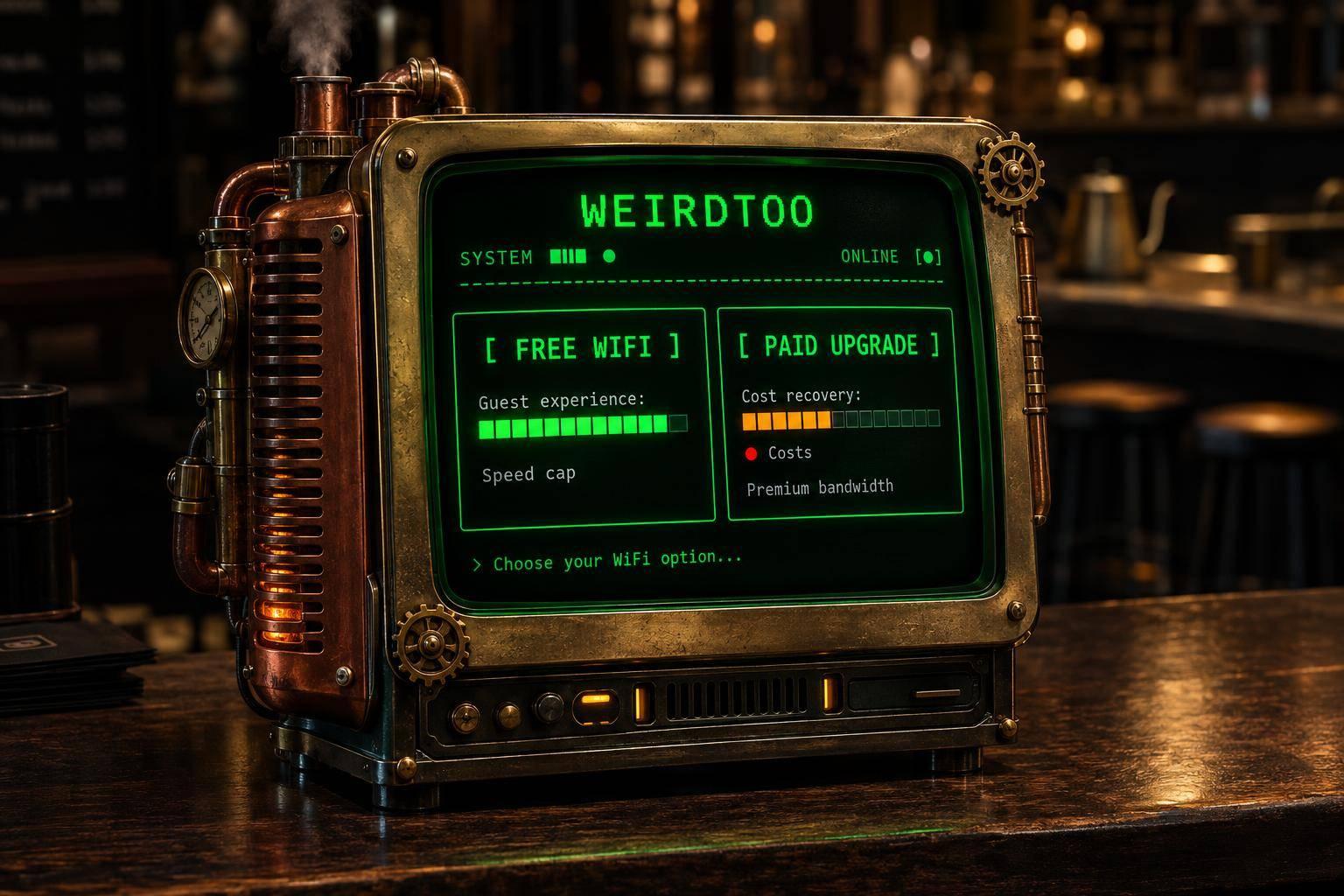
I’d keep your café’s WiFi free unless you can sell a clear upgrade. Guests pay $0 for free access; you still pay for the connection, equipment, and staff help. Charging adds payment fees and refunds - not bandwidth.
Here’s how I’d compare the four options.
Quick Comparison
| Model | Guest price | What you get | What you take on |
|---|---|---|---|
| Free password | $0 | Simple access | Password sharing and connection help |
| Free portal | $0 | A branded login and optional email signups | Software costs, login steps, and privacy duties |
| Paid | Session or membership fee | Access revenue | Payments, refunds, and higher service expectations |
| Hybrid | $0 basic; paid upgrade | A way to test paid demand | Tier setup and support |
A signup is not a sale. I’d judge a portal by the visits and spending it brings back - not the length of its email list.
Before charging, I’d check your ISP’s resale terms, keep guest traffic apart from your business systems, and test the whole login on a phone and laptop during a busy shift. Show the price, speed, session length, and device limits before payment. Keep marketing consent optional.
Then I’d run a short trial and count fees, refunds, software, added network costs, and staff minutes. <u>Keep the charge only if guests get the promised upgrade and the money left covers those added costs.</u> Otherwise, you’ve given your bartender another job.
Free vs Paid WiFi: Access, Costs, and Revenue
Free WiFi costs your guest $0. It still costs you money. Paid WiFi can bring in revenue, but it adds steps for guests and work for you. Beyond your ISP connection and hardware, the access model sets your costs for portal software, payment handling, and management [1][3].
| Feature | Free password access | Free portal access | Paid access | Hybrid access |
|---|---|---|---|---|
| Guest price | $0 | $0 | One-time or subscription fee | $0 basic; paid premium |
| Venue costs | Low (ISP/hardware) | Medium (software/setup) | Higher (payments and support) | Medium to high |
| Guest steps | 1 (enter password) | 2–3 (connect, ToS, email) | 3–4 (connect, pay, log in) | Varies by tier |
| Data collection | Minimal to none | High (email/marketing) | High (billing/email) | High |
| Usage control | Limited | Medium (session limits) | Better control of access rules | Tiered (speed/data) |
| Direct revenue | $0 | $0 | Direct income | Upsell revenue |
Charging is not an access control feature. Your router and portal software determine which controls you get. That affects guest steps, the data you collect, and how much work lands on your staff.
Free WiFi: Passwords, Portals, and Usage Limits
A shared password is simple. It can also travel beyond your venue when guests pass it along [5]. A portal with your venue’s name adds terms and email collection, along with setup costs.
Session and device limits help curb casual use. If you collect signups, keep access terms separate from marketing consent. Getting online and agreeing to marketing are two different things.
Paid WiFi: Sessions, Premium Tiers, and Vouchers
Paid access adds steps. Guests need to see what they get for the money.
Paid access can cover a fixed session, such as a 24-hour pass, or be bundled into a voucher or membership plan [1].
Hybrid access keeps basic browsing free, then charges for premium speed or longer sessions [1]. Charging may reduce casual use. It does not add capacity [1].
What Guests Expect When They Pay
Guests see free WiFi as a basic amenity. Once you charge, they expect something more: reliable access, better speed, longer sessions, or capacity reserved for paying users [1].
Show the price, duration, and limits before payment. Paying already adds friction. If access fails, staff or automation must fix it fast.
sbb-itb-342b8b2
Guest Experience: Check WiFi Quality Before Charging
A paid WiFi plan needs to deliver more than a different name. Compare what your guest gets: time spent connecting, speed, interruptions, and help when something breaks.
| Guest experience check | Free WiFi | Paid WiFi |
|---|---|---|
| Access friction | Single password or simple portal; seconds to access [1][3] | Registration, payment, and voucher code; minutes to access [1] |
| Delivered speed | Best-effort; often throttled [1] | Promised minimums or premium tiers [1] |
| Session interruptions | Frequent time-outs or usage limits [1] | Sessions stay active for the full purchase period [1] |
| Device limits | Typically one device per user [1] | Limits strictly enforced per account or voucher [1] |
| Issue resolution | Self-service | Staff-assisted recovery [3] |
Test Access on Phones and Laptops
Run every available access path on a phone and a laptop: password entry, captive portal redirect, payment, and voucher validation. Stop the timer when a webpage loads, not when the device says “connected.” That label is not proof the internet works. During busy hours, test the uses you advertise while the network is under load [1][3].
If paid WiFi performs like free WiFi at peak demand, guests will not pay again. When a device fails to connect, check automatic IP assignment before blaming the payment or voucher check [3].
Explain Access Terms and Marketing Consent
Put the whole offer beside the acceptance or payment button: price, session length, device allowance, restrictions, and help contact. After purchase, show the session duration and where to get help [1].
Marketing consent is a separate, optional choice. Accepting WiFi access terms does not give you permission to send promotions [1][4].
Your privacy notice should separate data needed to run the session from optional tracking or marketing. Make preference controls and marketing opt-outs easy to find [4]. Give staff a short recovery checklist: verify payment, check session or voucher status, then troubleshoot the connection [3].
Compare that tested guest experience with your network, software, and labor costs. If paid access is only slightly better, those costs decide whether charging makes sense.
Venue Costs: Calculate the Net Return
Paid WiFi Break-Even: Calculate Your Venue’s Net Return
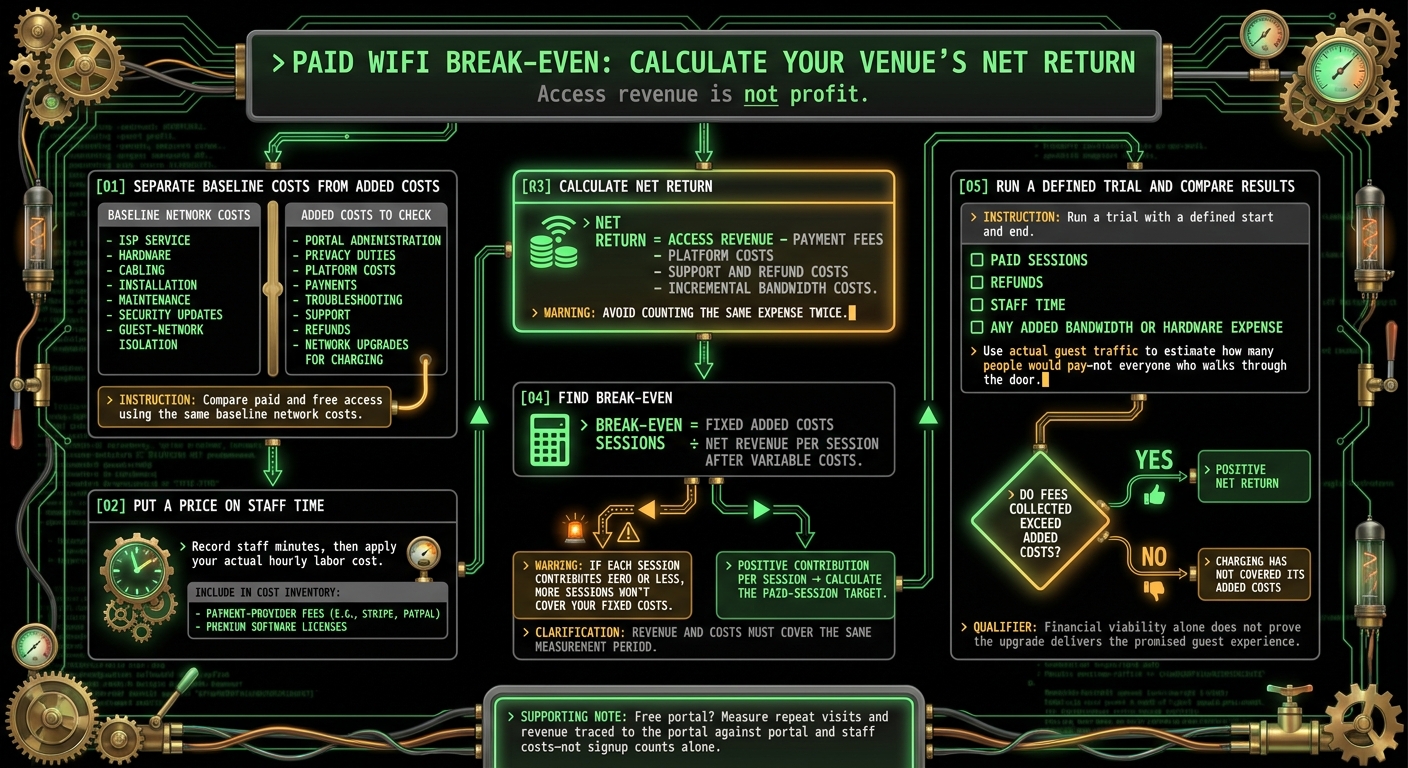
If guests will use paid WiFi, check whether their fees cover what it costs you to run it. Access revenue is not profit. The payment report only tells half the story.
| Model | Direct revenue | Added costs | Net return signal |
|---|---|---|---|
| Password-only | None from access | Password help and troubleshooting | No direct cost recovery |
| Free portal | None from access | Portal software, upkeep, and privacy administration | Sales traced to the portal outweigh portal and staff costs |
| Paid | Access fees | Platform, payments, support, refunds, and any network upgrades | Fees collected exceed added costs |
| Hybrid | Paid-tier fees | Tier management, vouchers, payments, and support | Paid uptake covers added costs |
Count Network Costs and Staff Time
Budget for ISP service, hardware, cabling, installation, maintenance, security updates, guest-network isolation, portal administration, privacy duties, payments, troubleshooting, and refunds.
Separate what your network already costs from what charging adds. Record staff minutes, then apply your actual hourly labor cost. Helping a guest get online still costs money when it happens between pouring drinks. [1][3][4]
These figures are your break-even baseline.
Calculate the Paid WiFi Break-Even Point
Net return = access revenue − payment fees − platform costs − support and refund costs − incremental bandwidth costs.
Compare paid and free access using the same baseline network costs. Count payment fees from providers such as Stripe or PayPal, plus any premium software licenses.
To find break-even, divide fixed added costs by net revenue per session after variable costs. If each session contributes zero or less, more sessions won't cover your fixed costs. Volume doesn't fix a loss on every sale. [1][3]
Use actual guest traffic to estimate how many people would pay - not everyone who walks through the door. Run a trial with a defined start and end. Track paid sessions, refunds, and staff time. If charging needs more bandwidth or new hardware, count that expense too.
The math gives you a target. Guest behavior tells you whether you can hit it.
Measure Portal Results Beyond Signup Counts
Signups matter only when they lead to paid use or repeat visits. Track opt-ins, offer clicks and responses, and repeat visits. An email address is not a sale. Neither is a longer stay.
Compare those results with portal and staff costs. Trace revenue to the portal where you can, then reconcile earnings reports with expenses to see the net return.
Conclusion: Which WiFi Model Fits Your Venue?
Free WiFi keeps access simple. A free portal earns its keep only if the leads bring guests back. Paid WiFi needs an obvious upgrade worth the extra steps. Cost, login friction, and revenue matter - but the model has to fit your venue.
Match the Access Model to Your Needs
Use password-only access if you want a simple login. Choose a free portal for branding and customer follow-up, or a hybrid model to test paid upgrades. Check the organizer’s terms before charging.
| Venue | Best fit | Prerequisites | What it adds | Main risk |
|---|---|---|---|---|
| Small café | Free password-only | Separate guest network | Simple access | Password leakage |
| Bar or restaurant | Free portal | Short login; optional marketing consent | Branding and customer follow-up | Signup friction |
| Event space | Hybrid | Coverage built for crowds; paid-tier capacity; organizer approval | Access revenue | Congestion and support load |
| Hotel or motel | Hybrid | Tier management; reliable premium service | Upgrade revenue | Too little difference between free and paid service |
| Community center or library | Free password-only | Separate guest network; abuse controls | Broad access | Legal and abuse risk |
Before selling access, check whether your ISP agreement allows bandwidth resale. Your internet connection is not automatically yours to resell [3][2].
Test Whether Guests Will Pay
Test one clearly described upgrade for a limited period. Show the price and the service difference before payment, not after the guest has reached for a card.
Track paid uptake, net return, support requests, refunds, and complaints. Keep the charge only if guests buy the upgrade, get the promised service, and leave you with revenue beyond the added costs. Otherwise, drop the charge or simplify access [1].
An upgrade that does not change the guest’s experience will not hold up. Covering your internet bill alone does not justify charging. Guests need a visible improvement, and you need a return after costs.
FAQs
How can I price a WiFi upgrade fairly?
Set your price around what the connection costs you to run, what it could earn, how well it works, and what your guests need. Charging can help cover the setup, but it also puts a payment step between a guest and getting online. Weigh that friction against your infrastructure costs.
You can charge once for permanent access or offer recurring subscription tiers. Membership plugins that support Stripe or PayPal can manage access levels, trial periods, and discount codes.
Could charging for WiFi hurt my sales?
Charging for WiFi puts money in your pocket, but it can also put guests off. Some won’t pay to connect. Others may skip your venue altogether. WiFi revenue can come at the cost of sales.
Free WiFi doesn’t bring in access fees, but it can help you collect customer names and email addresses for future sales campaigns and keep your venue on their radar.
Weigh the cash from paid access against less satisfied guests and fewer chances to build your customer database.
How can I protect free access during peak hours?
Keep one guest from burning through your entire data quota. Use bandwidth shaping to limit each user’s share, and monitor usage so you can see where the data goes. Professional-grade equipment with downstream bandwidth control helps spread that bandwidth evenly.
Put guests on a separate network. Their activity should stay isolated from the network you use to run the venue.
You cannot prevent external deauthentication attacks. Strong WPA2 encryption and infrastructure set up securely to handle peak demand can still make your network more resilient.
Current contact path
Need Weird Network WiFi, custom apparel, or scoped help?
Use the contact form; removed product, checkout, research, and newsletter funnels stay offline.