Loading…
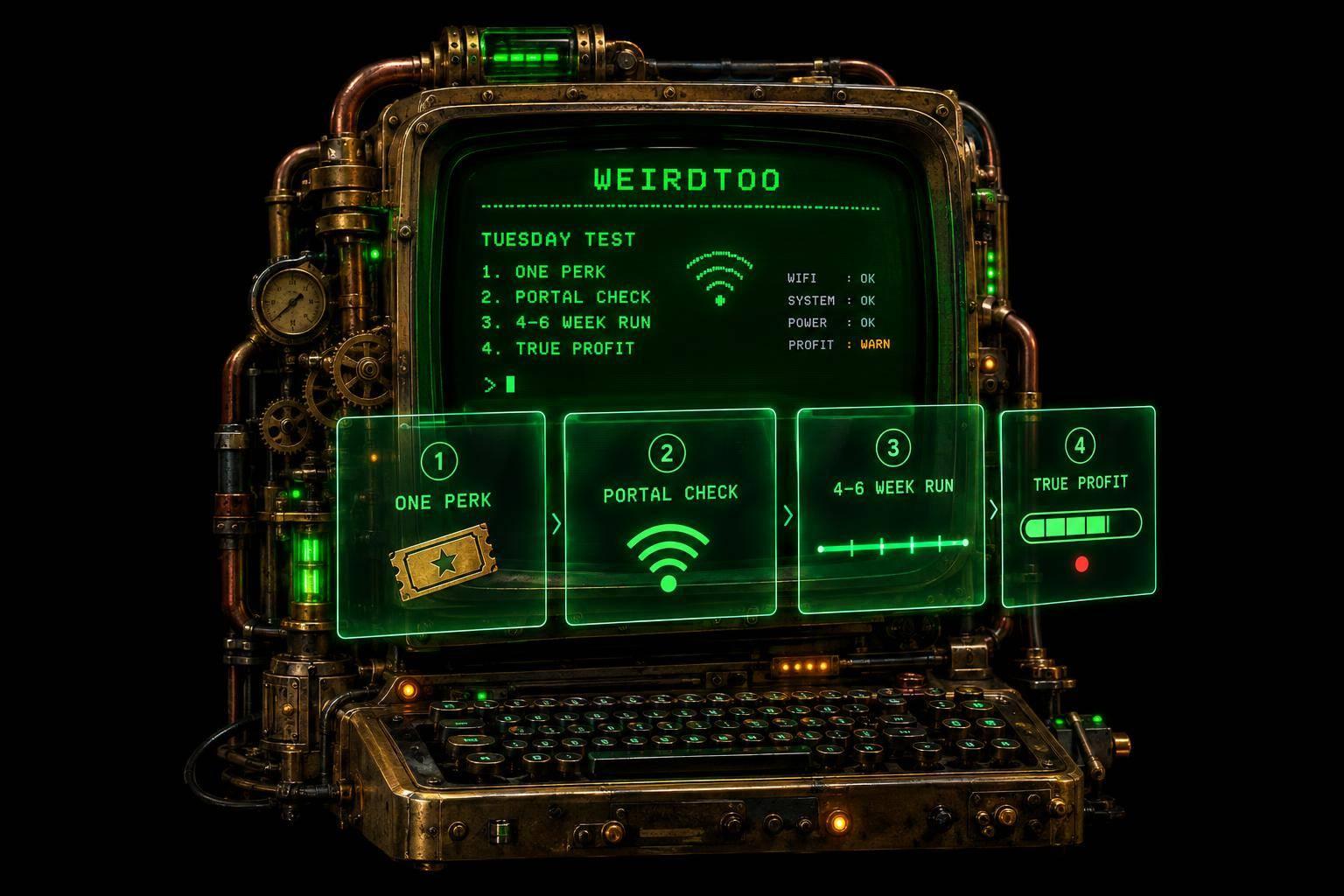
How to Fill a Slow Tuesday Using the WiFi You Already Have
By weirdtoo·October 17, 2026·8 min read
Turn guest WiFi into a low-cost Tuesday test: one perk, verify portal compatibility, run 4–6 weeks, and measure true profit.
How to Fill a Slow Tuesday Using the WiFi You Already Have
I’d start with one Tuesday offer, one checkout code, and a four-to-six-Tuesday test - not another software bill. Your guest WiFi can show the offer if your setup supports it. It cannot promise a full bar.
Here’s the plan I’d use:
- Pick one perk: a free side with an entrée, with clear dates, hours, and redemption rules.
- Check the setup: confirm your hardware can show and deliver the coupon. Keep guest traffic separate from payment systems. If a portal costs too much, use a sign and coupon link.
- Test before launch: try iPhone, Android, and staff redemption. Keep marketing opt-in optional. <u>Internet access is not permission to send texts.</u>
- Count what pays: compare Tuesday sales, covers, ticket size, and redemptions against similar Tuesdays. Subtract food, software, messaging, and added staff costs - not just the coupon’s face value.
I’d get any Weird Network pilot terms and post-pilot pricing in writing. Those details remain unconfirmed.
A redeemed coupon proves use, not an extra visit. Keep the test steady, note unusual events, and change one thing afterward. More sales with less money left over is a bad Tuesday wearing a nicer shirt.
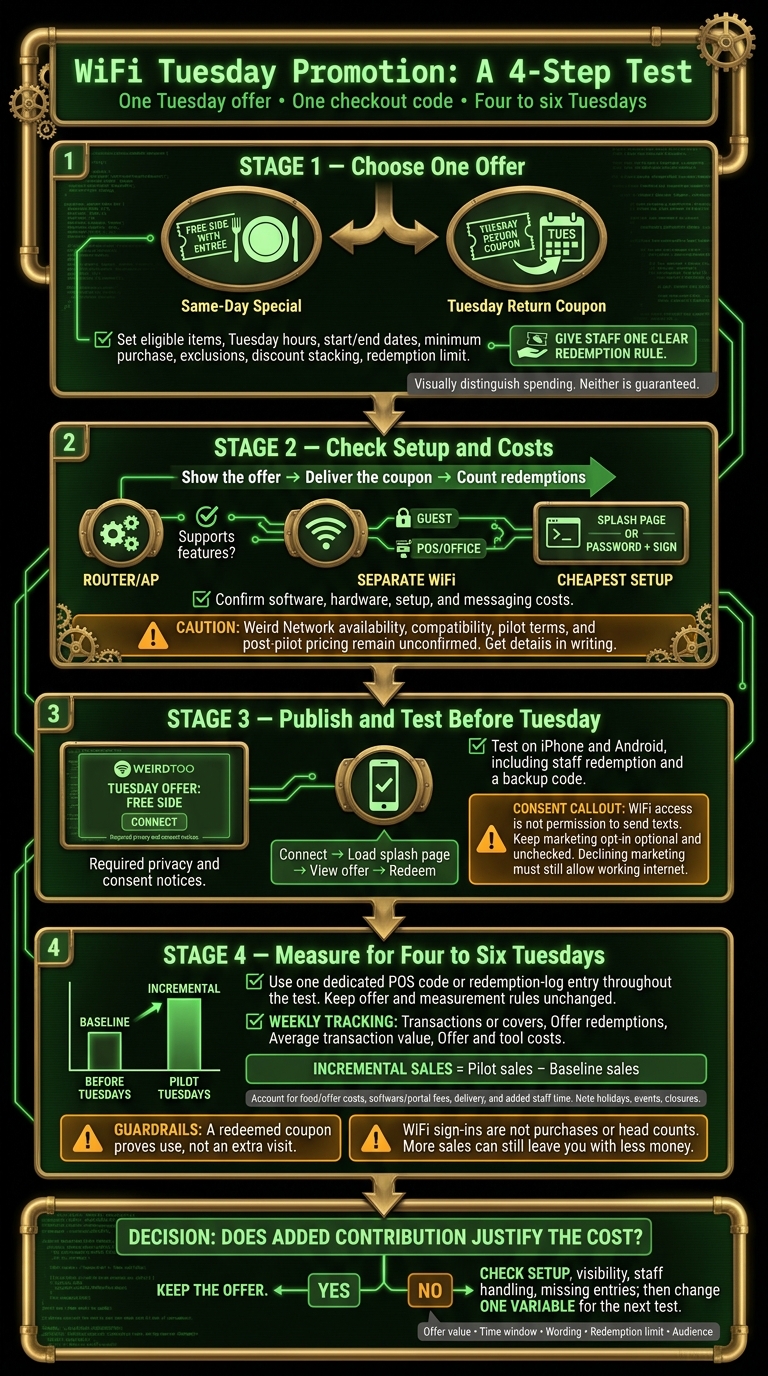
WiFi Tuesday Promotion: A 4-Step Test
Turn Your Free WiFi Into a Marketing Machine (Captive Portal Explained)
sbb-itb-342b8b2
1. Choose One Tuesday Offer and Set the Rules
Pick one purchase-linked perk, not a discount on the whole check. Guests will see it after WiFi sign-in.
A free side with an entrée caps the cost better than a discount on the full check.
Aim the offer at weekend guests and others likely to come back on Tuesday.
Choose a Same-Day Special or a Return Coupon
A same-day special can help guests already on-site spend more. A return coupon saved from the portal gives them a reason to visit on Tuesday. Test one, not both.
A redeemed return coupon tells you someone used the offer. It does not prove the coupon caused an extra visit. They may have been coming anyway.
Write the Offer Terms and Staff Instructions
Spell out the rules before the offer goes live: eligible items, Tuesday hours, start and end dates, minimum purchase, exclusions, whether discounts can stack, the redemption limit, and what guests must show at checkout.
Guests might present a QR code or unique voucher code.
Give staff one clear redemption rule. Nobody should have to interpret a coupon while a guest waits to pay.
Before you publish, check that your guest WiFi supports the portal, scheduling, and coupon delivery the offer needs. Check for extra tools and costs, too.
2. Check WiFi Compatibility and Added Costs
You need three things: show the offer, deliver the coupon, and count redemptions. Pick the simplest setup that does all three.
Before you buy software, check your exact router or access point model. Look for captive portal support and guest isolation, then get the vendor to confirm compatibility. Keep guest WiFi separate from POS and office devices using a guest SSID or gateway configured for that separation. If showing the offer and counting redemptions costs too much, use a simpler option.
Compare Supported Setup Options
You may not need portal software. Check what your current equipment can do before adding another bill.
| Option | Setup | Offer display and delivery | Tracking | Cost to confirm |
|---|---|---|---|---|
| Existing router splash page | Check firmware and page-editing options | Static text or an image, if supported | Check available reports; count redemptions separately | Usually included with hardware |
| Password-only WiFi plus a sign or coupon link | Uses current WiFi; no portal needed | Printed sign or separate coupon page | No portal data; track redemptions manually | $0 for the portal itself |
| Third-party platform | Requires supported access points | Page with your name and design; confirm the offer features you need | Confirm redemption tracking | Software, hardware, setup, and messaging costs vary |
Verify Weird Network Availability and Pilot Terms
Treat Weird Network as unconfirmed until Weird Too Company confirms the details in writing. That includes current availability, support for your hardware, Wyoming eligibility, and the advertised free-pilot, no-contract, and no-hardware-purchase terms.
Ask for pricing after the pilot, too. Get those answers before you budget for software, hardware, or messaging. An advertised pilot is not a confirmed setup.
Budget for the Portal and Coupon Delivery
Price the parts you need: a sign-in page, an offer screen or coupon code, and optional email or SMS collection. Keep your existing internet bill separate from software, compatible hardware, setup support, and messaging charges.
For the first test, use the cheapest option that can show the offer and count redemptions. Once you know the setup and cost, publish one Tuesday offer and test redemption.
3. Publish the Offer and Test Redemption
Publish the offer on the guest portal and in-store signs once you’ve picked the cheapest setup that works. Test it before Tuesday, not while a guest waits at the bar.
Keep the portal to your logo, the Tuesday offer, and one clearly labeled connect button, plus the required privacy and consent notices. Skip long forms. Schedule the offer to appear only during Tuesday service hours. [1][5]
Show Guests Where to Find the Offer
Put the network name and a short invitation on your signs. Match that wording on the portal, and show guests exactly what they get on Tuesday. Send follow-up texts or emails only to guests who opted in. [1][2]
Keep Marketing Consent Separate From WiFi Access
WiFi access is not a mailing-list subscription. Let guests connect and view the offer without signing up for marketing.
Keep WiFi access terms separate from optional email and SMS choices. Leave those boxes unchecked and turn off automatic marketing opt-in. Only guests who choose to opt in should get follow-up reminders. [2][5]
Test Guest Access and Redemption on Real Devices
Run the whole guest journey on Android and iPhone: connect, load the splash page, view the offer, and redeem it. Check that staff can use a backup code if the digital coupon fails or the guest skips the portal. Confirm that declining marketing still leaves the guest with working internet. [1]
Use those test results next to track Tuesday visits and redemptions.
4. Measure Results and Decide Whether to Continue
After the first Tuesday run, compare the results with your baseline. Do not change the offer yet. One night is a result, not a verdict.
Record a Baseline and Assign an Offer Code
Give the WiFi offer its own POS code or redemption-log entry. Build your baseline by averaging comparable Tuesdays before launch, using the same service hours.[1]
Record Tuesday transactions or covers and average transaction value. Count unique guests only if your system tracks them separately. WiFi sign-ins are not purchases or head counts. One device can reconnect several times.[4]
Compare Tuesday Visits, Redemptions, and Costs
Keep the offer and measurement rules unchanged for four to six Tuesdays.[4] Match portal logs with POS redemptions each week.[3] Use the same offer code throughout the test so every weekly result points to the same Tuesday promotion.
| Metric | Baseline | Pilot result | Data source | Collection frequency | Decision supported |
|---|---|---|---|---|---|
| Tuesday transactions or covers | Comparable Tuesday average | Average per Tuesday | POS | Weekly | Did Tuesday traffic increase? |
| Offer redemptions | 0 for new code | Code uses | POS or redemption log | Weekly | Did guests use it? |
| Average transaction value | Baseline average | Same calculation | POS | Weekly | Did average ticket change? |
| Incremental sales | Baseline sales | Pilot sales minus baseline | POS calculation | End of pilot | Did revenue exceed baseline? |
| Offer and tool costs | Existing costs | Discounts, portal fees, coupon delivery, added staff time | Invoices, POS, time log | Weekly | Did added revenue exceed total cost? |
Compare the sales lift with the full bill: discounts, portal fees, coupon delivery, and added staff time. More sales can still leave you with less money. Check whether the offer pays for itself.
Change One Thing After the Test
Note holidays, events, and unusual closures. If the numbers disappoint, check WiFi compatibility, offer visibility, staff handling, and missing redemption entries before blaming the offer.
Get the platform’s pilot terms and features in writing. Analytics and automation are not included just because the sales page sounds confident.
Keep the offer only if the added contribution justifies its cost. If it underperforms, change one variable for the next test: offer value, time window, wording, redemption limit, or audience.[1]
FAQs
How can I tell if my offer brings in extra Tuesday visits?
Track coupon or voucher redemptions using the metrics your WiFi marketing platform provides. Compare returning Tuesday guests before and after the campaign launch to see whether repeat visits increased.
If you send the offer by email or SMS, check open and click-through rates where available. Interest is not a return visit. Read those numbers alongside redemptions and Tuesday visits to judge whether the offer is bringing guests back.
How do I set a profitable minimum purchase?
Set the minimum purchase amount using your own numbers: average check size and fixed costs. The offer needs to bring in enough revenue to cover both the promotion’s cost and the cost of goods sold. More orders won’t fix an offer that loses money on each sale.
The available documentation covers guest WiFi marketing. It does not explain how to calculate a profitable minimum purchase.
When should I show weekend guests a Tuesday return offer?
Give weekend guests a reason to come back on Tuesday - not a discount they can use whenever.
Use guest WiFi data to identify people who visit only on weekends. After their weekend visit, send a Tuesday-only offer, such as a special available that night. Then send a reminder before the next slow Tuesday.
Email or SMS can handle both messages automatically if your setup supports it. If it doesn’t, those messages won’t send themselves.
Current contact path
Need custom apparel or scoped help?
Use the contact form; removed product, checkout, research, and newsletter funnels stay offline.