Loading…

Comparing Top Capacity Planning Tools for ISPs
By weirdtoo·January 19, 2026·11 min read
Compare five capacity planning tools for small ISPs—features, pricing, scalability, and best-use cases to find the right monitoring and forecasting fit.
Comparing Top Capacity Planning Tools for ISPs
When it comes to managing network capacity, small ISPs face unique challenges. Delivering reliable service in underserved areas requires tools that monitor usage, predict bottlenecks, and plan upgrades effectively. This article reviews five popular capacity planning tools - Preseem, PRTG Network Monitor, ManageEngine OpManager, Auvik, and SolarWinds Network Performance Monitor - each offering features like real-time monitoring, integration with existing systems, and scalability.
Key Takeaways:
- Preseem: Focuses on Quality of Experience (QoE) and traffic shaping, ideal for optimizing limited bandwidth.
- PRTG Network Monitor: Uses a sensor-based system for real-time insights but can get costly as networks grow.
- ManageEngine OpManager: Combines multiple functions like monitoring, IP management, and firewall analysis into one tool.
- Auvik: Cloud-based, enabling remote monitoring and reducing the need for on-site infrastructure.
- SolarWinds NPM: Offers in-depth capacity planning tools but has a higher starting cost, better for larger ISPs.
Quick Comparison Table:
| Tool | Focus | Cost (Starting) | Best For | Key Features |
|---|---|---|---|---|
| Preseem | QoE & traffic shaping | Custom pricing | Small ISPs in rural areas | Integration with billing systems, scalability |
| PRTG Network Monitor | Real-time monitoring | Free (100 sensors), $1,600+ | Small to medium ISPs | Sensor-based, detailed traffic analysis |
| ManageEngine OpManager | All-in-one monitoring | $995 (25 devices) | Budget-conscious ISPs | IP management, firewall analysis |
| Auvik | Cloud-based monitoring | Custom pricing | Remote management | REST API integration, remote access |
| SolarWinds NPM | High-capacity planning | $4,910 (100 elements) | Larger ISPs | Predictive forecasting, NetFlow integration |
Each tool has strengths suited to specific ISP needs. Whether you prioritize cost, ease of use, or advanced features, testing these tools through free trials can help you decide what fits your network best.
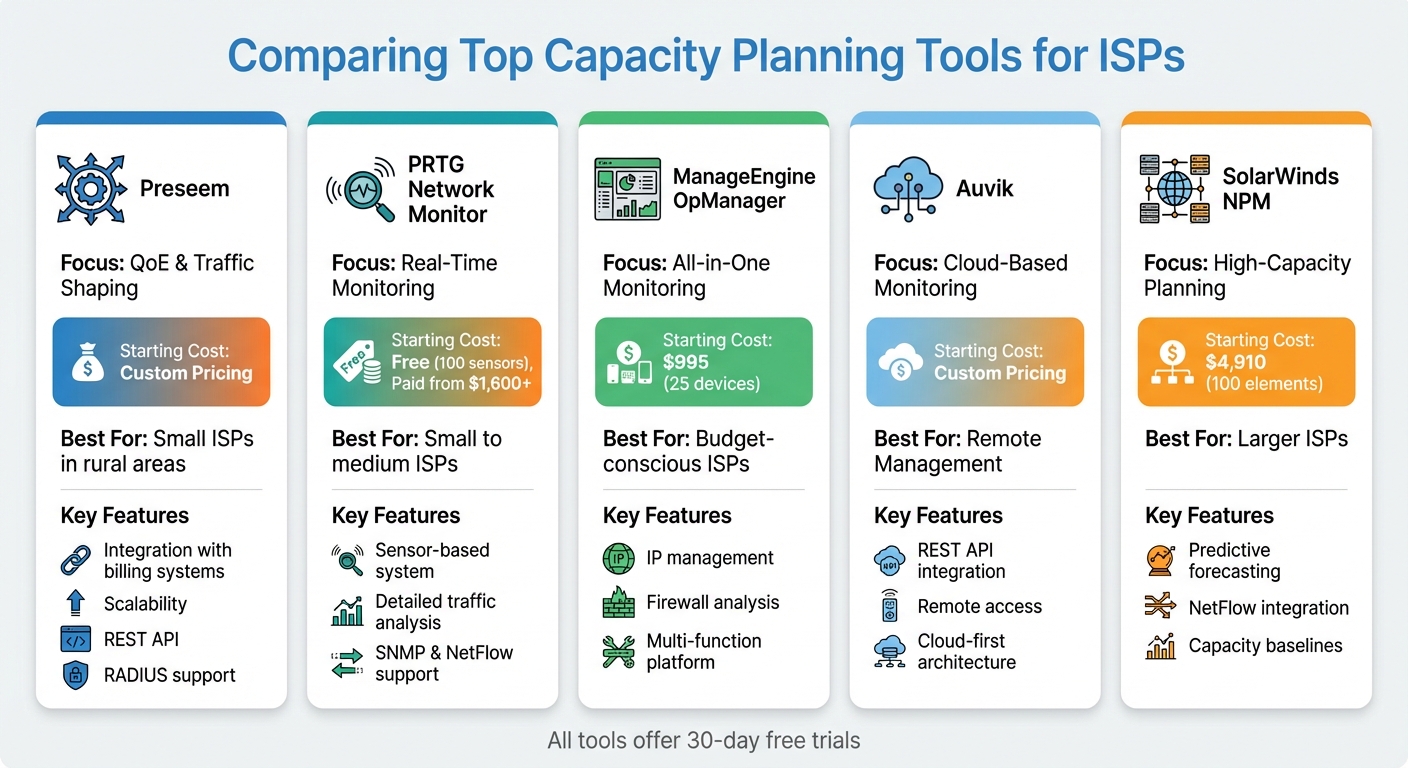
Capacity Planning Tools for ISPs: Feature and Pricing Comparison
1. Preseem
Preseem is a Quality of Experience (QoE) platform designed to enhance the subscriber experience, especially for small ISPs operating in underserved areas.
Integration Capabilities
Preseem connects seamlessly with Network Management Systems (NMS) and billing platforms using a REST API. This allows ISPs to centralize essential functions like RADIUS, IP Address Management (IPAM), and hardware monitoring via SNMP or TR-069 protocols. Additionally, it offers a pre-built Splynx module, which helps reduce configuration errors and simplifies the setup process. These integrations make it easier for ISPs to manage their networks effectively.
Scalability
Preseem is built to handle the demands of expanding and hybrid networks. It provides ISPs with detailed insights into link capacity and network performance, helping them manage increasing user demands as they grow. By focusing on QoE and offering strong integration and scalability, Preseem tackles the unique challenges small ISPs face when planning for capacity and growth.
2. PRTG Network Monitor
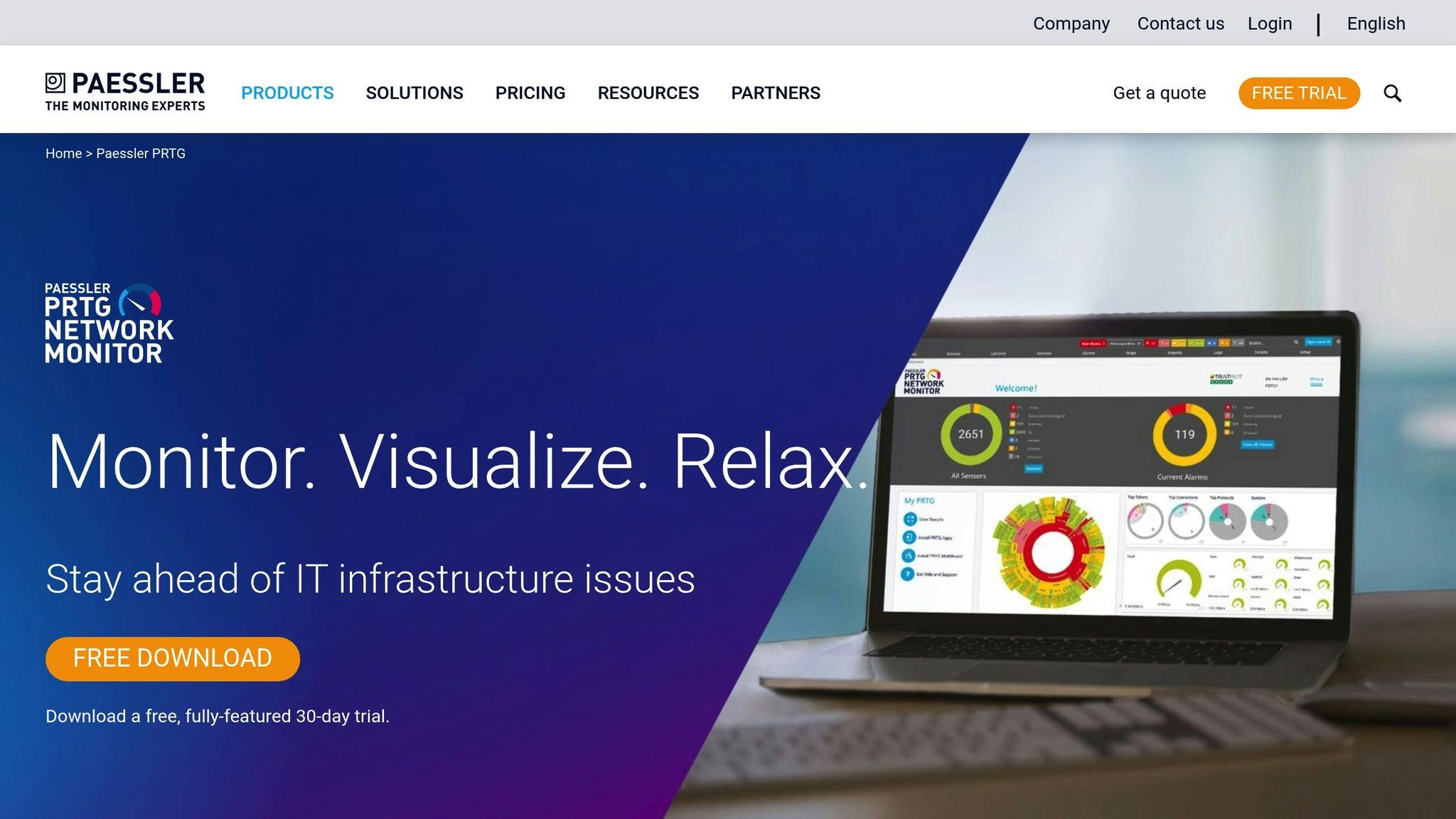
PRTG Network Monitor operates using a sensor-based system, where each interface or metric is represented as an individual sensor. This monitoring tool connects to ISP hardware mainly through SNMP, pulling usage data from networking devices and presenting it as live updates on a web-based dashboard. For smaller ISPs, this setup makes it possible to monitor bandwidth usage, interface health, and traffic patterns in real time, offering a clear view of network performance [3].
Real-Time Monitoring
PRTG provides both detailed and broad insights by utilizing various sensor types. For instance, SNMP sensors track overall bandwidth usage, while NetFlow sensors dig deeper, identifying which users, applications, or traffic are consuming the most resources. This dual-layered analysis helps ISPs pinpoint whether network congestion is caused by organic growth or specific high-demand users. The interface is user-friendly and accessible through both web browsers and mobile apps, making it convenient for on-the-go monitoring [3].
Integration Capabilities
PRTG’s design simplifies network setup with its auto-discovery feature, which scans the network, maps its components, and configures sensors automatically in just a few minutes. While the software itself runs on Windows, its web-based interface ensures it can be accessed from any platform. Beyond SNMP, PRTG supports additional protocols like NetFlow, J-Flow, and IPFIX, enabling deeper traffic analysis and insights [3].
Scalability and Cost
PRTG offers flexible licensing options based on the number of sensors, with tiers for 500, 1,000, 2,500, 5,000, and unlimited sensors. Pricing for paid licenses ranges from around $1,600 to just under $15,000. A free version is available, but it’s capped at 100 sensors, making it ideal for small-scale use or testing. However, since each switch port or interface counts as a separate sensor, costs can rise quickly as networks grow. For this reason, small ISPs should carefully calculate their total port usage across routers and switches before choosing a license tier. To help with planning, PRTG offers a 30-day trial with unlimited sensors, allowing ISPs to fully evaluate their network’s needs before committing to a purchase [3].
3. ManageEngine OpManager
ManageEngine OpManager Plus combines network monitoring, bandwidth analysis, firewall log analysis, and IP address management into a single platform. Instead of relying on separate tools for each task, this all-in-one solution simplifies workflows for small ISP teams, reducing the hassle of managing multiple applications. The result? A streamlined approach to real-time monitoring of critical network metrics.
Real-Time Monitoring
OpManager Plus keeps a close eye on device health and performance metrics using SNMP, tracking essentials like CPU, memory, disk, and interface usage. It supports protocols such as NetFlow, sFlow, jFlow, and IPFIX, giving ISPs not just insight into bandwidth consumption but also a clear view of which applications or users are driving that usage. The platform’s dashboard offers drill-down features, making it easy to move from a high-level network overview to detailed device-specific data. And with mobile app support, administrators can monitor their networks remotely, ensuring flexibility and quick responses when needed.
Integration Capabilities
The "Plus" in OpManager Plus highlights its ability to integrate multiple functions into one cohesive system. Beyond SNMP monitoring, it includes modules for switch port management, configuration management, and IP address management - removing the need for third-party tools. Firewall log analysis is also built in, offering insights into both security threats and potential capacity issues. This is particularly beneficial for small ISPs operating on limited budgets, as it reduces the complexity of their tech stack and keeps costs under control.
Cost Effectiveness
OpManager Plus starts at $995 for up to 25 devices, with a 30-day free trial available. By consolidating multiple tools into one platform, small ISPs can better allocate resources, improve traffic visibility, and postpone expensive hardware upgrades through smarter capacity planning and proactive monitoring [3].
4. Auvik

Auvik takes a cloud-first approach, making it easier for small ISPs to keep an eye on network performance without needing on-site infrastructure.
Real-Time Monitoring
With Auvik, you get a clear view of real-time traffic volumes, link capacity, and interface usage. This helps ISPs evaluate how their network is performing at any given moment. The platform also pinpoints which endpoints and applications are hogging bandwidth and sends automated alerts when custom thresholds signal issues like congestion or connection failures [2,9]. These features ensure ISPs can address problems quickly and maintain smooth operations.
Integration Capabilities
Auvik works effortlessly with existing IT systems through REST APIs, simplifying workflows and cutting down on manual data handling [5]. Its cloud-based design also supports more efficient cost management.
Cost Effectiveness
Thanks to its cloud architecture, Auvik allows teams to monitor and manage networks remotely - a major advantage for areas where getting physical access to equipment is tough. This remote accessibility helps reduce costly service visits, minimizes downtime, and eliminates bottlenecks. Plus, it supports future growth by removing the need for expensive hardware upgrades [5].
sbb-itb-342b8b2
5. SolarWinds Network Performance Monitor
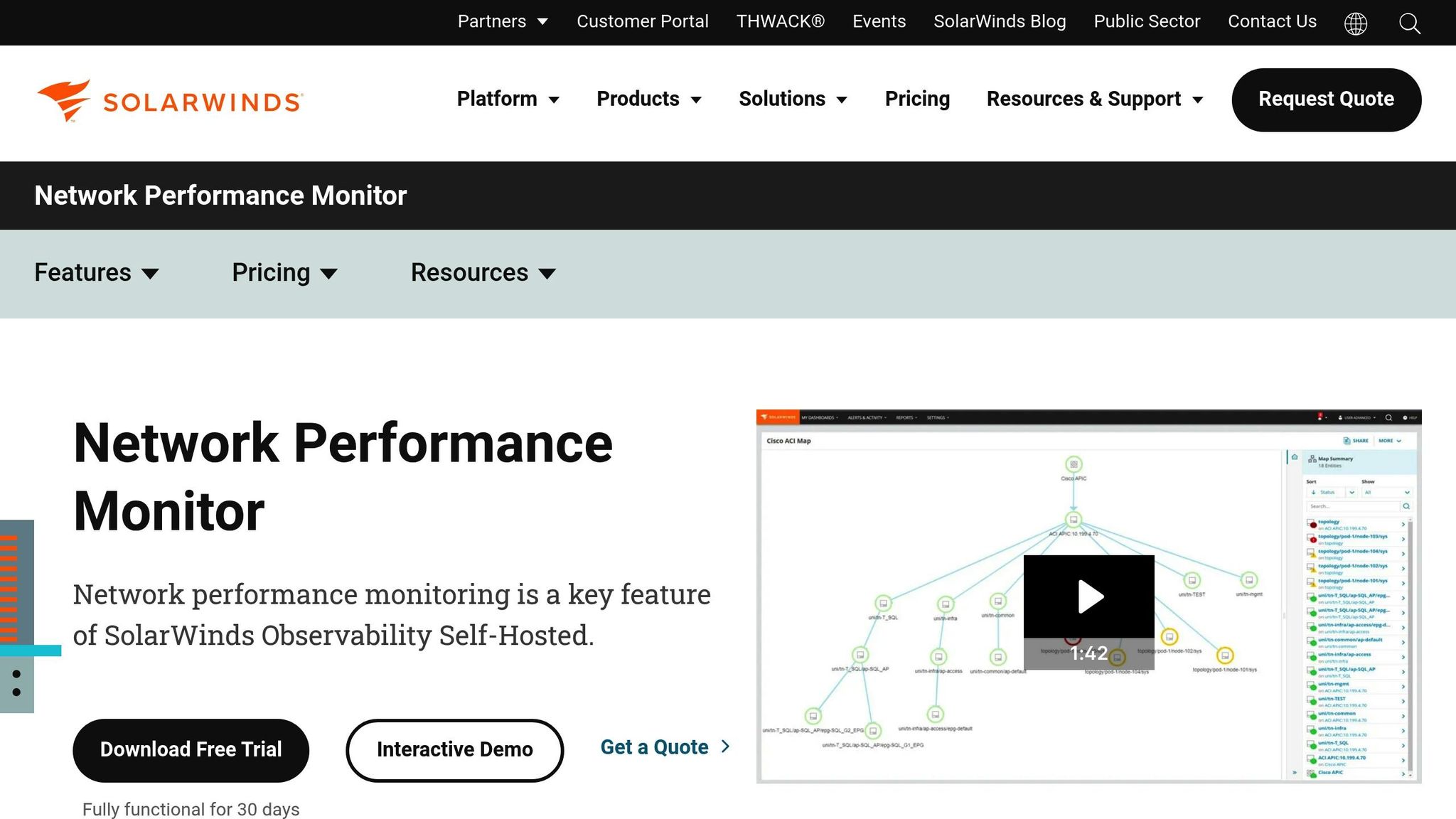
For ISPs grappling with growing bandwidth demands, SolarWinds Network Performance Monitor (NPM) is designed to handle high-capacity networks while offering the flexibility to scale as needs evolve. It provides thorough tools for capacity planning, making it well-suited for high-bandwidth environments [1].
Real-Time Monitoring
SolarWinds NPM keeps a close eye on your network by establishing capacity baselines and tracking key metrics like CPU, memory, disk, and interface usage. Its "Top Capacity Problems" feature, paired with automated alerts, ensures that potential issues are flagged early, enabling proactive management [1].
Scalability
With element-based licensing starting at 100 elements, SolarWinds NPM is built to grow with your network. Its capacity forecast charts leverage historical data to predict when resources might hit their limits. When integrated with the NetFlow Traffic Analyzer, it goes beyond basic bandwidth monitoring to deliver detailed traffic analysis. Pricing begins at $4,910 for the Network Bandwidth Analyzer Pack, which includes both NPM and NTA for up to 100 elements. A fully functional 30-day free trial is also available [1][3].
Integration Capabilities
Using standard SNMP for device monitoring, SolarWinds NPM integrates seamlessly with other tools, especially the NetFlow Traffic Analyzer, to provide deep traffic insights. It supports a wide range of hardware from multiple vendors, offering specific insights for devices like Cisco ASA, Cisco Nexus, and F5 Big-IP. The 30-day trial period allows users to test compatibility with their existing setups [1][3][5].
Long-Term Value
While the initial investment may seem steep, SolarWinds NPM delivers strong long-term value through features like automated discovery, intelligent mapping, predictive forecasting, and scalable support. These capabilities make it a solid choice for ISPs looking to manage growth effectively and prepare for the future [1][3][5].
Advantages and Disadvantages
When evaluating these tools, it’s clear that each offers unique benefits and trade-offs, especially for small ISPs navigating budget constraints and network expansion needs.
PRTG Network Monitor is a great starting point for smaller operations, thanks to its free tier that supports up to 100 sensors. This makes it an affordable option with no initial software costs. However, as your network grows - say, beyond a few hundred devices - the sensor-based licensing model can become expensive. Scaling from 100 sensors to unlimited coverage may strain budgets [3].
SolarWinds Network Performance Monitor excels in real-time tracking, featuring a "Top Capacity Problems" indicator that flags critical issues. That said, its cost - starting at $4,910 for 100 elements [3] - and the time required for baseline logging (several days) before delivering actionable insights [1] make it a better fit for established ISPs rather than smaller, resource-limited ones.
For those wanting a comprehensive solution, ManageEngine OpManager Plus offers a versatile package. It combines network monitoring, IP address management, and firewall log analysis, all starting at $995 for 25 devices [3]. This balance of affordability and robust functionality caters to both smaller ISPs and those with enterprise-level needs.
Meanwhile, Preseem focuses on optimizing Quality of Experience (QoE) and traffic shaping, helping ISPs make the most of their existing capacity without requiring immediate hardware upgrades. This is particularly useful in underserved areas where backhaul bandwidth is limited and every megabit counts [2].
Ultimately, the best choice depends on your network’s growth plans and operational priorities. Each tool’s strengths and limitations play a key role in shaping capacity planning, especially for ISPs aiming to deliver reliable service in regions where efficient resource use is non-negotiable.
Conclusion
Choosing the right tool for your network depends on its size and future growth plans. For smaller networks with fewer than 100 devices, PRTG's free 100-sensor tier offers a solid starting point for basic monitoring. As your network expands, you'll need to weigh the benefits of sensor-based licensing against element-based pricing to find the most cost-effective solution [3].
Beyond pricing, optimizing performance in areas with limited resources is a must. For ISPs facing constraints like minimal backhaul bandwidth, tools such as Preseem can help through smart contention management. This allows you to maximize capacity and serve more customers without the immediate need for costly infrastructure upgrades - an especially valuable approach when budgets are tight [2].
Using historical SNMP data is another key step. By collecting data on critical links like WAN circuits and backhaul connections, you can establish baselines and tackle real bottlenecks instead of relying on guesswork [1]. To scale efficiently, focus on automation features like zero-touch provisioning and auto-discovery, which reduce the need for additional staff [4].
Finally, take advantage of 30-day trials to test tools in your specific environment. This trial period ensures the solution effectively addresses your capacity challenges and integrates seamlessly with your existing monitoring and billing systems [1].
FAQs
What should small ISPs look for in a capacity planning tool?
When selecting a capacity planning tool for a small ISP, focus on features that maintain network reliability, support growth, and stay within your budget. Key features to prioritize include scalability to accommodate future demands, real-time monitoring to manage bandwidth usage and avoid congestion, and forecasting tools to prepare for subscriber growth and seasonal traffic variations.
For small teams, ease of use is essential. Look for software with a straightforward interface that works seamlessly with your current equipment and systems. Tools offering customizable dashboards and easy-to-use data connectors can simplify workflows and save valuable time.
Finally, evaluate the cost structure and deployment options. Cloud-based tools often come with lower upfront costs, while on-premise solutions provide more control over your system. Choose a tool with transparent pricing and dependable support to ensure a smooth setup and consistent performance.
What are the costs of capacity planning tools for growing ISPs?
The price of capacity planning tools varies based on factors like your network’s size, the number of users, and the features you require. Many tools use tiered pricing, offering free or budget-friendly plans for smaller teams. As your network scales, you can access higher-tier plans with features such as advanced analytics, real-time forecasting, and multi-project management. These are often priced per user or resource.
Cloud-based tools usually charge a monthly fee per user or monitored asset, making them a flexible choice for smaller ISPs. On the other hand, on-premises or enterprise-grade solutions often involve a higher upfront investment along with annual maintenance fees. These options, however, offer deeper integrations and more advanced modeling capabilities. To keep costs manageable, consider starting with a basic plan to test the tool’s suitability, then upgrade as your network and traffic demands grow.
What is the best tool for ISPs to scale their networks in remote or underserved areas?
For Internet Service Providers (ISPs) looking to expand into remote or underserved areas, Kentik’s network capacity planning platform offers a powerful solution. As a cloud-hosted service, it delivers comprehensive visibility across hybrid cloud environments, covering everything from on-premise data centers to public cloud infrastructure. This allows providers to monitor every connection seamlessly and adjust as they grow into less populated regions.
Kentik’s features, such as automated traffic baselines, daily forecasting, and run-out projections, enable ISPs to predict bandwidth demands and prevent network overloads as subscriber numbers grow. Its cloud-based design ensures scalability, whether managing a handful of rural towers or an entire statewide network, all without needing extra on-site hardware. By combining flow analysis, capacity planning, and cost forecasting into a single platform, Kentik simplifies operations, making it an excellent choice for smaller ISPs serving remote communities.
Related Weird Too links
Keep following this lane
Current contact path
Need Weird Network WiFi, custom apparel, or scoped help?
Use the contact form; removed product, checkout, research, and newsletter funnels stay offline.