Loading…
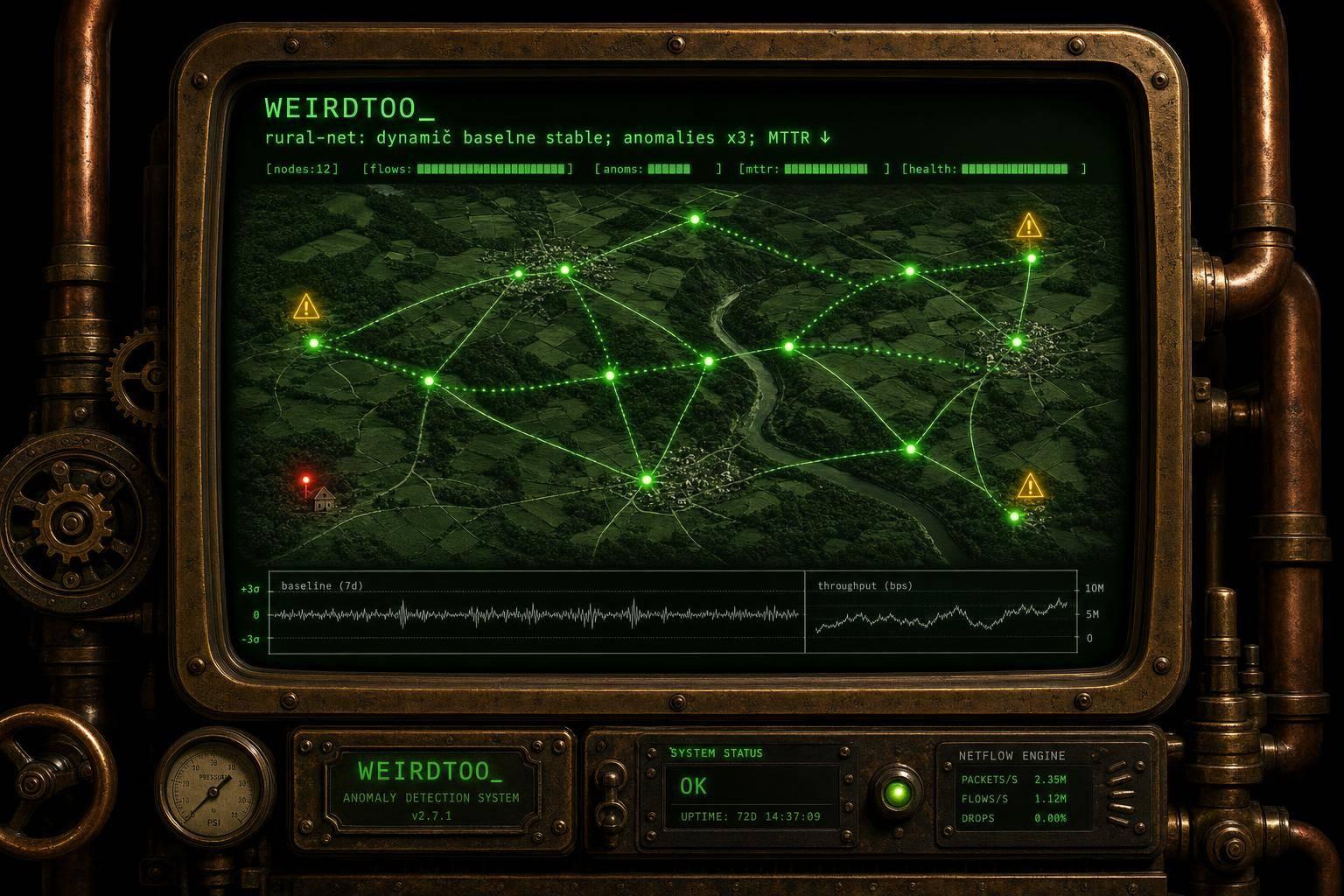
Case Study: Anomaly Detection in Rural Networks
By weirdtoo·July 3, 2026·10 min read
How rural ISPs used metrics, NetFlow, and dynamic baselines to cut outages, reduce MTTR, and lower truck rolls.
Case Study: Anomaly Detection in Rural Networks
Rural ISPs cut outages and fixed issues sooner when they stopped waiting for customer calls and started watching for odd network behavior.
From what I see in this case study, the big shift was simple: use metrics, flow data, and limited packet checks to spot trouble early. That led to major outages dropping from 12 per month to 5.4, MTTR falling from 4.2 hours to 8 minutes, and truck rolls dropping by about 20%.
If I had to sum it up fast, it comes down to this:
- Static alert limits were not enough
- Site-by-site baselines worked better
- Missing telemetry was treated like a warning
- Flow data helped point to the cause
- Packet checks were used only in problem areas
- Daily review habits helped small teams act sooner
- Customer issues were often found by the ISP first
This also shows why rural networks are hard to run:
- Long backhaul routes
- Shared wireless sectors
- Few backup paths
- Weather damage
- Remote cabinets far from the office
- Small teams covering large service areas
What worked best was not a fancy system. It was a clear stack:
- Time-series metrics for latency, throughput, and loss
- NetFlow/IPFIX to see which traffic caused the shift
- Targeted packet analysis for hard-to-pin-down faults
- Dynamic baselines instead of one fixed limit for every site
- Runbooks and daily checks so alerts led to action
Here’s the short takeaway for you: if you run a rural network, the goal is not more alerts. It is fewer alerts that point to a real issue, show what changed, and help your team act before users pick up the phone.
The rest of the article explains how that approach worked in day-to-day use.
Network data collection: metrics, flows, and packet captures
Where data was collected across the rural network
Telemetry came from core routers, tower sectors, backhaul links, remote cabinets, and selected subscriber CPE across the network.
Sector-level monitoring helped the team spot sudden drops in the download throughput metric. That was a strong sign of a sector outage [7]. CPE monitoring, by contrast, caught a slower kind of problem: signal quality that faded over time at a single subscriber. On paper, the sector could still look fine, while one customer’s connection was quietly getting worse [1].
Remote cabinets added another layer. These sites were often 30 miles from headquarters, so the team used discrete dry-contact sensors to report battery voltage and commercial power status during storms. That mattered because traffic-only metrics could point to the wrong cause and make a power issue look like a network failure [5].
Backhaul links were watched for IP reachability so the team could catch site-unreachable events. If a remote site went silent, it would trigger an alert instead of being mistaken for simple inactivity [5].
How packet and flow analysis exposed root causes
Time-series metrics were the first warning sign. If latency or bit rate moved outside a learned baseline, the next step was flow data [7]. NetFlow and IPFIX records from core routers showed which protocols and ports were behind the shift, including heavy bandwidth users, unusual protocol spikes, and scan bursts [6].
Sometimes that still wasn’t enough. In those cases, packet captures cleared up the last bit of doubt. Full packet inspection in known trouble spots confirmed rare protocol errors that flow records could only suggest. But packet capture is expensive in CPU and storage, so the team used it in a targeted way instead of across the whole network [3][6].
Wood River Internet's CTO Matthew Fauser shared a simple routine that worked well for a small team. Each morning, support staff sorted the "Wireless Daily" screen by latency. If one subscriber showed high latency, they called that customer first and sent out a technician the same day, often before the customer even reported a problem [1].
"We saw it was this particular customer, and we gave him a call and we said, 'Hey, it looks like you're having a little bit of an issue with your service. Do you need a service call?'" - Matthew Fauser, CTO, Wood River Internet [1]
Comparison table: packet capture vs. flow monitoring vs. time-series metrics
The table below shows how each approach fits into a rural ISP's monitoring stack and where each one falls short.
| Monitoring Type | Required Resources | Level of Detail | Deployment Point | Strengths for Rural ISPs | Limitations |
|---|---|---|---|---|---|
| Time-Series Metrics | Low (SNMP/Telemetry) | High-level trends (latency, bit rate, packet loss) | Core, towers, CPE | Lightweight; long-term trend analysis; supports dynamic baselines | Cannot isolate specific bad packets or individual flows |
| Flow Monitoring | Medium (NetFlow/IPFIX) | Metadata: IPs, ports, protocols | Core routers and aggregation points | Identifies heavy bandwidth users and rare protocol spikes | No visibility into actual packet content |
| Packet Capture | High (CPU and storage) | Full packet inspection | Known trouble areas | Deep-rooted cause analysis for complex intermittent issues | Hard to scale; high storage costs; bandwidth-intensive |
Those layers fed the next step: dynamic baselines.
sbb-itb-342b8b2
Detection methods: dynamic baselines instead of static thresholds
Building baselines around rural traffic patterns
With metrics, flows, and packet captures in place, the next step was telling normal rural traffic swings apart from actual faults.
Static thresholds are too blunt for this job. In rural networks, traffic changes by hour, day, and season. A fixed alert level will either miss issues or bury a small team in noise. So the system learned a baseline for each link and sector from past data, then flagged deviations against that site's usual pattern. For example, an 80% drop in average download bit rate was flagged as a warning, while a 90% drop triggered a major alarm [7]. That matters because in rural networks, each site behaves a little differently.
Missing data was treated as a signal too, not just an empty space. If a remote site became unreachable because of a backhaul cut or power failure, the system generated a site-unreachable alert instead of ignoring the gap [5]. In plain terms, the absence of data became part of the detection logic.
Which anomalies were flagged and how false positives were reduced
The team focused on latency outliers and throughput drops. Instead of relying on fixed limits, they used behavior-based baselines to catch sudden performance changes [7].
One documented setup cut actionable alerts by 98%, dropping daily alerts from 2 million to 40,000 [6]. Automated detection also reduced mean time to detect from 18 minutes to under 2 minutes [6].
That’s a huge shift. It means staff spend less time sorting junk alerts and more time working on actual outages.
Comparison table: static thresholds vs. dynamic baselines vs. selective ML
| Method | Data Requirements | Implementation Complexity | False-Positive Rate | Suitability for Small Rural ISPs | Required Expertise |
|---|---|---|---|---|---|
| Static Thresholds | Minimal | Low | High | Useful as a starting point, but inefficient | Basic network admin |
| Dynamic Baselines | Moderate (historical trends) | Moderate | Low | High | Network engineer |
| Selective ML (LSTM / Isolation Forest) | High (granular telemetry and flow data) | High | Very low | Low | Data science / AI ops |
For most rural ISPs, dynamic baselines offer the best balance between accuracy and day-to-day workload. They sit in the middle: more precise than static thresholds, but far less demanding than full ML.
How Does Network Traffic Anomaly Detection Work?
Case study results: what the ISP found and what changed
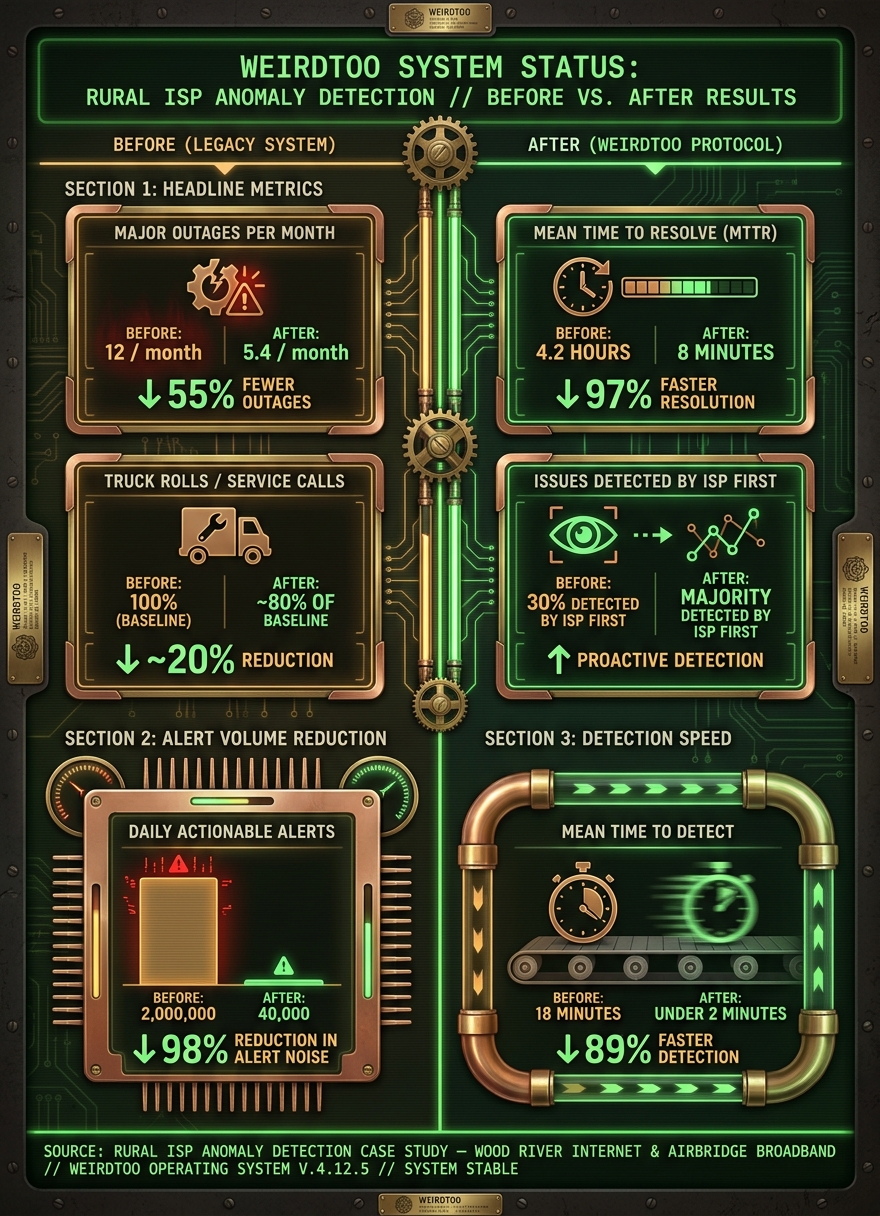
Rural ISP Anomaly Detection: Before vs. After Results
Anomalies found in the rural network
Once dynamic baselines were in place, the ISP could tell the difference between normal rural swings and actual fault patterns. That changed the game. Instead of chasing every odd blip, the team could focus on signs that pointed to a real issue.
Silent sites and missing telemetry often pointed to major power loss at remote locations. Rather than waiting for a monitoring gap to get noticed, operators could spot when a cabinet or site had lost commercial power during a storm [5][9].
Ambient temperature spikes in remote cabinets showed when gear was heading toward trouble. That gave technicians a window to step in before one failure turned into total equipment loss [4].
Signal drift in fixed wireless sectors exposed links that were getting worse and hurting subscribers before support tickets started coming in [1][3].
Unusually high latency and brief packet loss were often the first clues on the customer side. The link might still appear up, but those small changes were enough to show that something was off. In many cases, the ISP could contact the customer before the customer filed a complaint [1][3].
Reliability gains after anomaly detection was added
The day-to-day shift was pretty clear: the team started finding and fixing problems before the first angry phone call.
"We've been able to reach out to customers before they even knew they had a problem. They're impressed." - Elijah Zeida, Network Engineer, AirBridge Broadband [2]
The main gains showed up in three places:
- Faster detection
- Fewer truck rolls
- Earlier customer outreach
That also changed the tone of support work. Instead of reacting under pressure, staff had a chance to get ahead of the issue.
"It's a lot easier to call out and say, 'Hey, are you having trouble?' as opposed to waiting for that guy to call in and be angry at you. It's definitely helpful for morale." - Matthew Fauser, CTO, Wood River Internet [1]
Before-and-after results table
| Metric | Before Anomaly Detection | After Anomaly Detection |
|---|---|---|
| Major outages (per month) | 12 [6] | 5.4 [6] |
| Mean time to resolve (MTTR) | 4.2 hours [6] | 8 minutes [6] |
| Service calls / truck rolls | 100% (baseline) | ~80% (~20% reduction) [2] |
| Customer-reported first issues | 30% of issues reported by customers first [6] | Majority detected by ISP first [1][2] |
The numbers back up what the team saw in daily operations. Major outages dropped from 12 per month to 5.4 [6]. MTTR fell from 4.2 hours to 8 minutes [6]. Truck rolls also went down, with service calls landing at about 80% of baseline, or roughly a 20% reduction [2]. And instead of customers being the first to flag trouble in 30% of cases, the ISP was now finding most issues first [1][2].
Lessons for rural ISPs and local network operators
What to put in place after the initial deployment
Those gains lasted because the team made alerts part of the daily routine. Anomaly detection helps only when operators build clear habits around it. A daily latency and packet-loss scan can catch drift before customers report it [1].
After an alert fires, the next move should already be clear. If a site goes silent, follow a runbook instead of doing ad hoc troubleshooting [5]. Set a 15-minute acknowledgment window with text escalation [8]. Add repair notes to each alarm so the next technician can move faster [8].
"To put the updated notes in there as to what it took to repair a site... that would be super helpful for the next guy." - Mike Lytken, Microwave Technician, Siskiyou Telephone [8]
What worked best for lean rural teams
For lean rural teams, the best setup is the one staff can check fast every day. Small teams need simple workflows they can review without a lot of friction. A mix of centralized alarms, edge telemetry, customer-experience checks, and visual triage gives operators enough visibility to narrow down likely causes without getting buried in noise.
Local conditions shape every alert. That means monitoring has to reflect what’s happening on the ground.
Conclusion: the core takeaway from the case study
Anomaly detection works best when it sits inside runbooks, centralized alarms, and local context. Alerts need to be actionable and easy to review. Fewer, better alerts tied straight to customer experience are what make the difference.
These ISPs did well because they turned data they already had into repeatable action the team could review day after day. The goal is simple: find problems early, act fast, and reach customers before they call.
FAQs
How do dynamic baselines work?
Dynamic baselines use historical data and traffic patterns to show what normal network behavior looks like. That gives monitoring systems a clear point of reference instead of treating every small change like a problem.
The payoff is simple: operators can tell the difference between routine fluctuation and a real anomaly, like a latency spike or signal degradation. So instead of chasing noise, they can step in early and deal with issues before service quality takes a hit.
Why treat missing telemetry as an alert?
In rural network management, missing telemetry isn't just missing data. It's an alert.
When a remote site or device stops reporting, operators can lose sight of core infrastructure. And in rural settings, that loss of visibility can be a big deal. It may point to a communication failure, a power outage, or a device issue that's starting to affect service.
That matters even more when the network supports things like 911 reporting. If teams wait too long, a small reporting gap can turn into a service problem.
By treating missing telemetry as an alert, operators can step in early, figure out what's wrong, and decide whether the issue can be handled remotely or if someone needs to go on-site.
When should packet capture be used?
The provided results do not describe packet capture as a standard tool for rural network anomaly detection.
Instead, the workflows center on proactive monitoring. That means tracking key performance indicators, using alarm management systems, and applying machine learning to spot issues before they hit subscribers.
For this case study, packet capture is not presented as a typical first-line method.
Current contact path
Need Weird Network WiFi, custom apparel, or scoped help?
Use the contact form; removed product, checkout, research, and newsletter funnels stay offline.