Loading…

How to Analyze Wi-Fi Networks with a WLAN Pi Tool
By weirdtoo·April 25, 2026·5 min read
Discover how WLAN Pi tools help analyze Wi-Fi networks, detect issues, and optimize performance with advanced features.
How to Analyze Wi-Fi Networks with a WLAN Pi Tool
When it comes to understanding and improving Wi-Fi networks, having the right tools is critical - especially for small business owners in underserved Wyoming communities where reliable internet is a competitive necessity. This article dives into the robust capabilities of the WLAN Pi Go - a compact and potentially game-changing tool for analyzing Wi-Fi networks. Whether you're running a trailer park, RV park, restaurant, or event venue, this breakdown will help you understand how devices like this can simplify Wi-Fi management, optimize network performance, and empower your business.
The Importance of Wi-Fi Analysis for Small Businesses
In underserved rural areas, where connectivity isn't always dependable, businesses rely on creating strong, stable Wi-Fi networks to attract and retain customers. However, managing these networks can be daunting without proper tools. Wi-Fi congestion, interference from neighboring networks, or rogue devices can quickly derail your service.
This is where tools like the WLAN Pi Go come in. They help detect network issues, optimize configurations, and provide detailed analytics so you can ensure smooth operations - without needing a large IT budget.
What is the WLAN Pi Go?
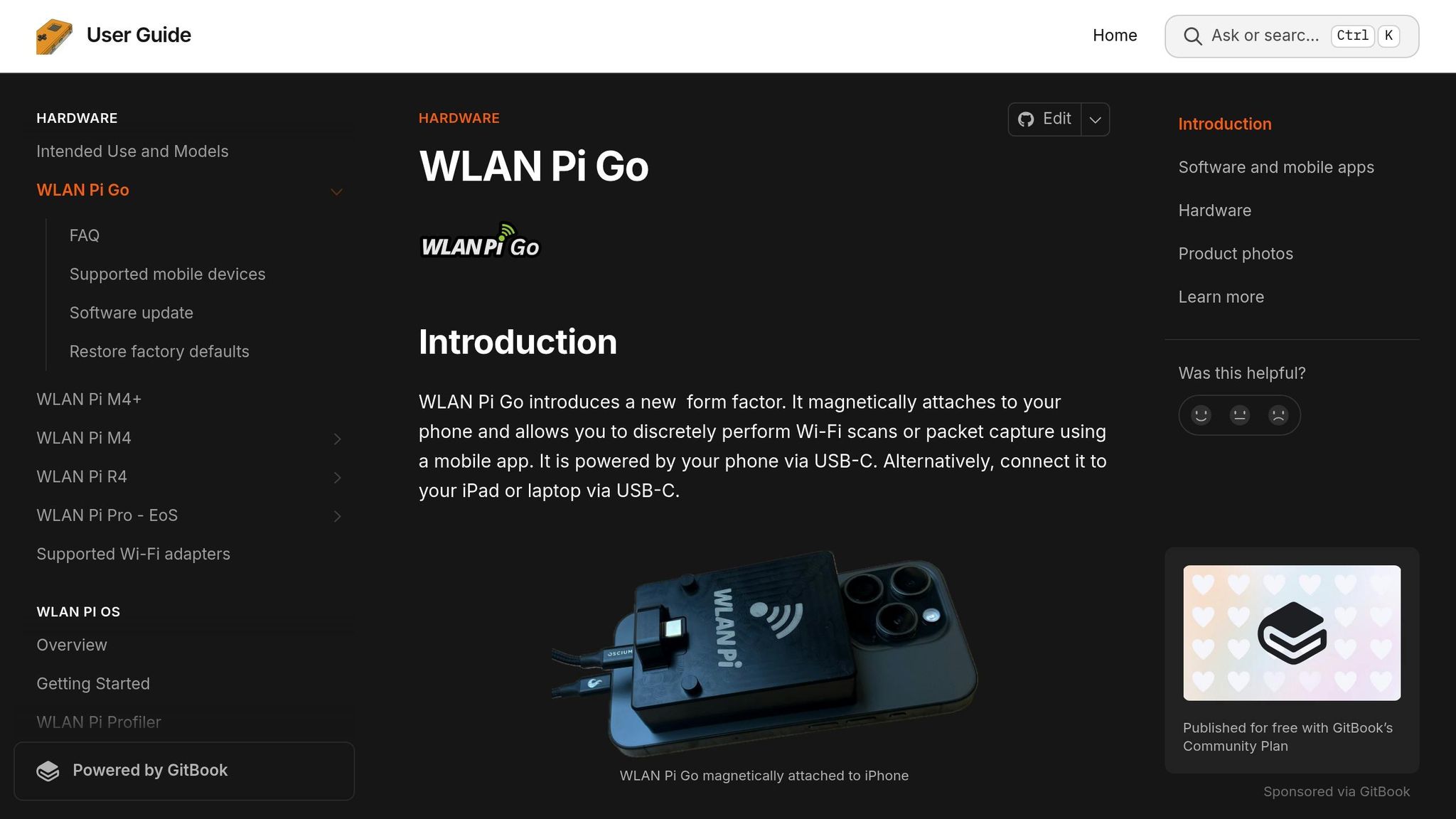
The WLAN Pi Go is a compact, portable Wi-Fi diagnostic tool designed for professionals and tech-savvy individuals. It functions as a spectrum analyzer and wireless network monitoring device, allowing users to identify Wi-Fi issues, locate access points, and analyze spectrum usage in real time.
Some standout features include:
- Multi-band spectrum analysis: Covers 2.4 GHz, 5 GHz, and 6 GHz bands.
- Portable design: Lightweight yet durable, perfect for on-the-go troubleshooting.
- App integration: Interfaces with apps that provide advanced Wi-Fi diagnostics.
- Real-time insights: Offers features like signal strength mapping and channel utilization analysis.
For small business owners, this means you can identify weak signals, avoid overcrowded channels, and ensure your customers are always connected.
sbb-itb-342b8b2
Key Features and Practical Applications
Robust Spectrum Analysis
The WLAN Pi Go excels at identifying Wi-Fi network activity across multiple frequency bands (2.4 GHz, 5 GHz, and 6 GHz). This capability is invaluable in environments with high levels of interference, such as trailer parks or RV parks where multiple devices and hotspots may compete for bandwidth.
By using the included apps, you can scan all available networks, filter by signal strength or channel utilization, and pinpoint where interference may be coming from.
"Find My Feature" for Rogue Devices
One of the standout features of this tool is its direction-finding capability. If rogue devices or unauthorized hotspots are disrupting your network, the WLAN Pi Go can help locate them using a combination of signal strength and audio feedback. This feature is particularly useful for businesses where secure and efficient Wi-Fi is critical, such as restaurants or event venues.
Signal Mapping for Better Wi-Fi Placement
The WLAN Pi Go integrates with apps that allow you to map Wi-Fi signal strength throughout your building or property. This is a game-changer for businesses that want to optimize their Wi-Fi coverage. For example, a trailer park owner can determine the best spot for access points to cover the entire property, ensuring guests have seamless connectivity no matter where they are parked.
Compatibility and Usability
The device works seamlessly with multiple apps designed for Wi-Fi diagnostics. These apps provide spectrum visualizations, network utilization data, and even the ability to capture packets for in-depth analysis. For small business owners who may not be tech experts, this means you can access professional-grade insights without needing a degree in IT.
Some of the most useful functions include:
- Identifying free or less crowded Wi-Fi channels.
- Monitoring network utilization in real time.
- Troubleshooting signal drops or interference.
Real-World Scenarios: Why This Tool Matters
The video highlights a couple of real-world use cases that demonstrate the WLAN Pi Go's capabilities.
Crowded Environments
At a large conference with hundreds of vendors setting up their own Wi-Fi hotspots, the WLAN Pi Go revealed an overwhelming number of networks, many of which caused interference. For a small business owner, this kind of visibility can help mitigate disruption from neighboring networks and ensure your Wi-Fi setup operates optimally.
Rogue Hotspot Detection
The device proved invaluable for identifying unauthorized Wi-Fi hotspots. For example, it could track down rogue networks broadcasting from IoT-enabled devices like TVs or dishwashers. For businesses, this means you can safeguard your network from unintentional interference or potential security breaches.
Why This Matters to Small Business Owners
For businesses in Wyoming's underserved communities, Wi-Fi is more than a convenience - it's a necessity. Guests in RV parks, trailer parks, or rural restaurants expect connectivity, and providing stable internet access can set your establishment apart. Tools like the WLAN Pi Go allow you to:
- Save money by diagnosing and solving issues on your own.
- Improve the customer experience with reliable internet.
- Secure your network against rogue devices or interference.
- Manage your Wi-Fi proactively, avoiding future downtime.
Key Takeaways
- Empower Your Business: Reliable Wi-Fi is critical for attracting customers. Tools like the WLAN Pi Go simplify network management.
- Optimize Network Performance: Identify and mitigate interference to improve connectivity for your customers.
- Detect and Resolve Issues Quickly: Use features like the "find my feature" to locate rogue devices or hotspots causing problems.
- Comprehensive Spectrum Analysis: Analyze activity across multiple bands (2.4 GHz, 5 GHz, and 6 GHz) for better channel utilization.
- Map Your Coverage: Use signal mapping to place access points strategically and optimize Wi-Fi coverage.
- Portable and User-Friendly: The WLAN Pi Go's compact design and app integration make professional-level diagnostics accessible to small business owners.
- Cost-Effective Alternative: While priced higher than DIY solutions, its ease of use and functionality can save time and money in the long run.
Conclusion
For Wyoming's entrepreneurial community, where budgets and resources are often limited, the WLAN Pi Go represents a powerful tool for improving Wi-Fi networks and creating a seamless internet experience for customers. Whether you run a trailer park, an RV park, or a rural restaurant, investing in reliable network analysis tools can transform how you manage connectivity, boosting both customer satisfaction and your bottom line.
Leveraging tools like the WLAN Pi Go not only bridges the digital divide in underserved areas but also empowers small business owners to take control of their networks without breaking the bank. It's a smart step forward in ensuring reliable, secure, and accessible internet for your patrons.
Source: "We spy on your WiFi with this little Pi" - Geerling Engineering, YouTube, Dec 22, 2025 - https://www.youtube.com/watch?v=JYdVq5OQ6_k
Related Weird Too links
Keep following this lane
Current contact path
Need Weird Network WiFi, custom apparel, or scoped help?
Use the contact form; removed product, checkout, research, and newsletter funnels stay offline.