Loading…
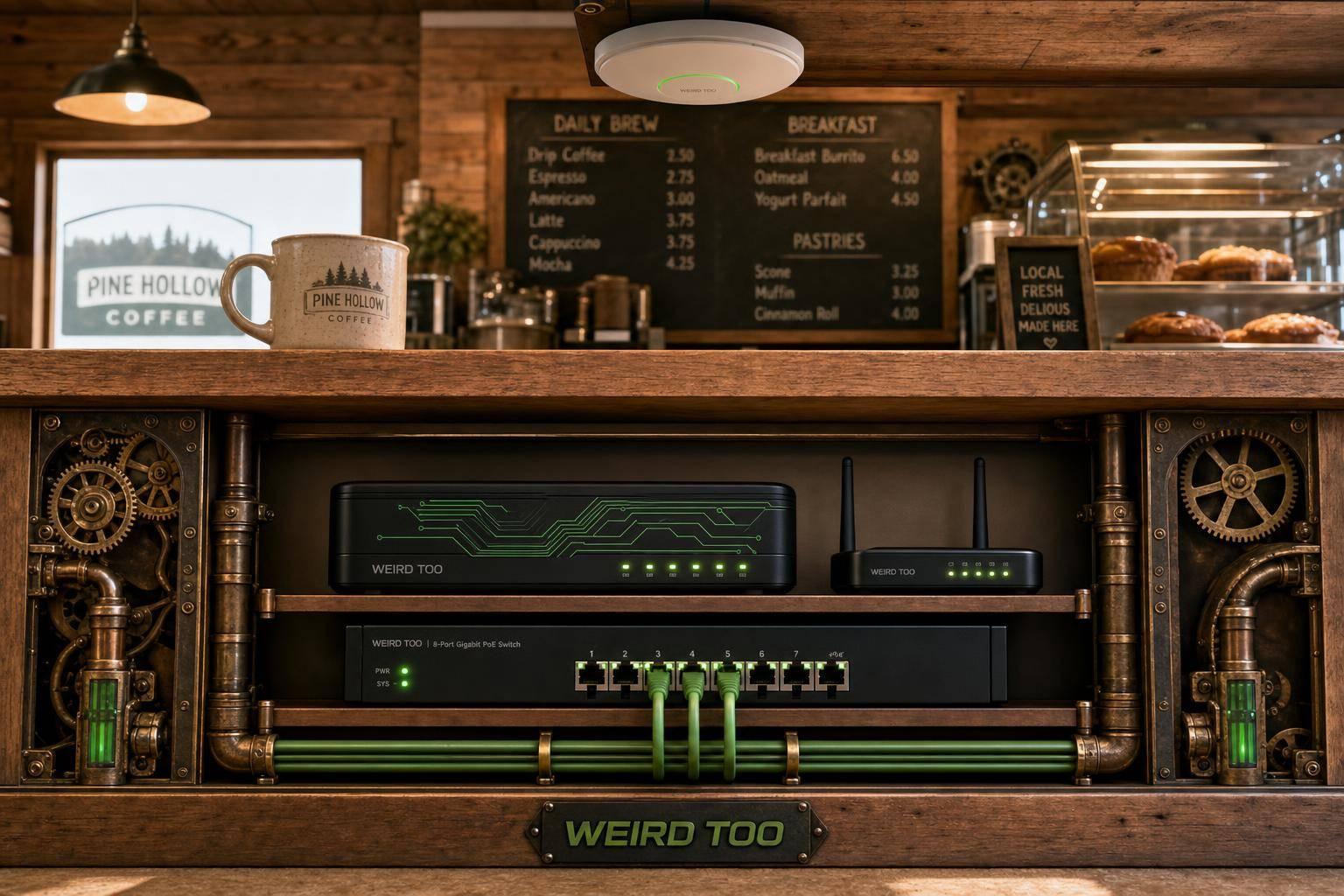
Affordable Network Equipment for Local Cafés Owners in Rural America
By weirdtoo·June 22, 2026·5 min read
Guide to affordable routers, APs, PoE, and cellular failover for rural café owners, with setup and troubleshooting tips.
Affordable Network Equipment for Local Cafés Owners in Rural America
Affordable Network Equipment for Local Cafés Owners in Rural America
A practical buying and setup guide for local café owners in rural America that recommends affordable networking gear for reliable Wi‑Fi, POS, guest access, security, and easy expansion. The article emphasizes business-friendly features like mesh support, VLANs, guest portals, PoE, VPN, failover, and centralized management for non-technical users in underserved areas.
Business Type
Local Café
Region
Rural America
Region-Specific Connectivity Challenges
Rural America often means limited broadband options, larger or more spread-out coverage areas, and higher sensitivity to outages, so café networks need gear that can handle unstable upstream service and still keep POS, guest Wi‑Fi, and office traffic running. Rural-focused guidance also favors mesh expansion, wired backhaul where possible, and backup connectivity such as LTE/4G or USB modem failover for continuity.
Types of Network Equipment Covered
- Router
- Access Point
- Security Gateway
- VPN Gateway
- Wi-Fi Gateway
- PoE Gateway
Recommended Products
- ASUS ExpertWiFi EBR63
- TP-Link ER706W
- TP-Link ER605
- TP-Link Festa FR307-M2
- TP-Link ER706W-4G
- TP-Link ER706WP-4G
Key Features
- Wi‑Fi 6
- Dual-Band
- Mesh Support
- Guest Network
- VLAN Support
- PoE Support
- VPN Support
- Load Balancing
- Failover
- Cloud Management
- Security Gateway
- USB/LTE Backup
Product Recommendations & Rationale
For a local café in rural America, ASUS ExpertWiFi EBR63 is the simplest all-in-one starting point because it combines router, switch, and security gateway functions, supports up to 5 SSIDs, VLANs, a guest portal, and site-to-site VPN, and is explicitly positioned as cost-effective for small businesses on a budget. TP-Link ER605 is a strong budget security gateway option if the café wants a dedicated gateway with centralized cloud management, strong VPN support, and firewall features. TP-Link ER706W is better when the café needs a Wi‑Fi 6 gateway with mesh support, guest networking, and LTE backup via USB for rural outage resilience. If wired PoE devices or extra indoor access points are needed, TP-Link ER706WP-4G adds PoE+ ports plus 4G failover for a more scalable small-business build. For cafés in especially unreliable broadband areas, TP-Link ER706W-4G is a good continuity-focused choice because it combines 4G/LTE and Ethernet WAN load balancing with centralized cloud management. TP-Link Festa FR307-M2 is another low-complexity option for café owners who want business-class VPN, load balancing, and mobile broadband backup via USB modem, with a management model aimed at small businesses.
Performance Metrics
Typical café-sized options support Wi‑Fi 6 speeds around AX3000/AX1800 class, with guest-network features, VLAN support, and enough capacity for small business use. TP-Link’s EAP613 offers up to 250+ wireless clients and about 1,250 ft² coverage; Omada café/store designs also pair a gateway, PoE switch, and one or two APs for small locations. ASUS ExpertWiFi devices support up to 5 SSIDs and are designed for small cafés placed near the center of the space.
Setup Difficulty
Easy
Step-by-Step Setup Instructions
- Place the main router/gateway near the center of the café, as ASUS recommends for limited-space cafés, and keep the ISP modem/ONT close to the network core.
- Connect the modem/ONT to a business router or gateway, then connect a PoE switch if you are using separate access points, printers, or cameras.
- Add one ceiling or wall-mounted access point for small cafés, or add more APs if the café has dead zones or a larger floor plan.
- Create separate Wi‑Fi networks for staff, guests, and any payment or IoT devices, using VLANs or SSIDs where supported.
- Wire fixed devices such as POS terminals, printers, and security cameras with Ethernet whenever possible for reliability.
- If your rural connection is unstable, set up dual-WAN or cellular backup so the café can stay online during an outage.
- For guest Wi‑Fi, enable isolation/captive portal features and test the network before opening hours.
- Save a simple diagram of which port connects to each device so future changes are easier. For a simple one-device approach, ASUS ExpertWiFi EBR63 is positioned as an all-in-one router/switch/security gateway for small businesses; TP-Link’s Omada café/store designs pair a gateway with a PoE switch and EAP access point for a more expandable setup.
Troubleshooting Tips
- If Wi‑Fi is weak in the dining area or patio, move the AP closer to the center of the café or add another AP/mesh node.
- If guests can see printers or POS devices, check that guest isolation and VLAN separation are enabled.
- If the café runs out of IP addresses during busy hours, shorten the DHCP lease time or expand the guest subnet.
- If the internet drops often in rural areas, use a backup WAN or cellular failover and keep the router, modem, and switch on a UPS.
- If mesh links are unstable, place extenders with clear line of sight and avoid too much hop distance.
- Update firmware on the router, switch, and APs before troubleshooting deeper issues.
Price Range
Budget to Mid-range
Total Cost of Ownership (Estimated 3 Years)
$350
Cost Comparison
For a small rural café, an all-in-one device like ASUS ExpertWiFi EBR63 can reduce upfront hardware and management costs because it combines router, switch, and security gateway functions without subscription fees. A modular TP-Link Omada setup costs more upfront because it uses separate gateway, PoE switch, and access point(s), but it scales better and can lower replacement risk over time. Compared with larger SMB systems, these café-focused options are more affordable and easier to manage, while still supporting VLANs, guest Wi‑Fi, and expansion.
Scalability Advice
Start with one compact all-in-one unit if the café is small, then add a PoE switch and extra APs as seating area, patio, or back-room devices grow. If you expand to multiple rooms or a second location, move to a modular system with VLANs, cloud management, and more APs so you can add coverage without redesigning the network. For rural businesses, plan for cellular or second-WAN backup early so expansion does not depend on a single fragile internet link.
Support and Warranty
TP-Link Omada and ASUS ExpertWiFi materials emphasize business management features and no-subscription software management, but the sources reviewed here do not clearly state a single café-specific warranty term for every recommended model. One higher-end Grandstream SMB appliance lists a 3-year warranty, which is a useful benchmark for business gear. For the café article, the safest summary is: check the retailer/manufacturer page for model-specific warranty terms before purchase, especially for rural deployments where replacement speed matters.
Where to Buy
Related Weird Too links
Keep following this lane
Current contact path
Need Weird Network WiFi, custom apparel, or scoped help?
Use the contact form; removed product, checkout, research, and newsletter funnels stay offline.