Loading…
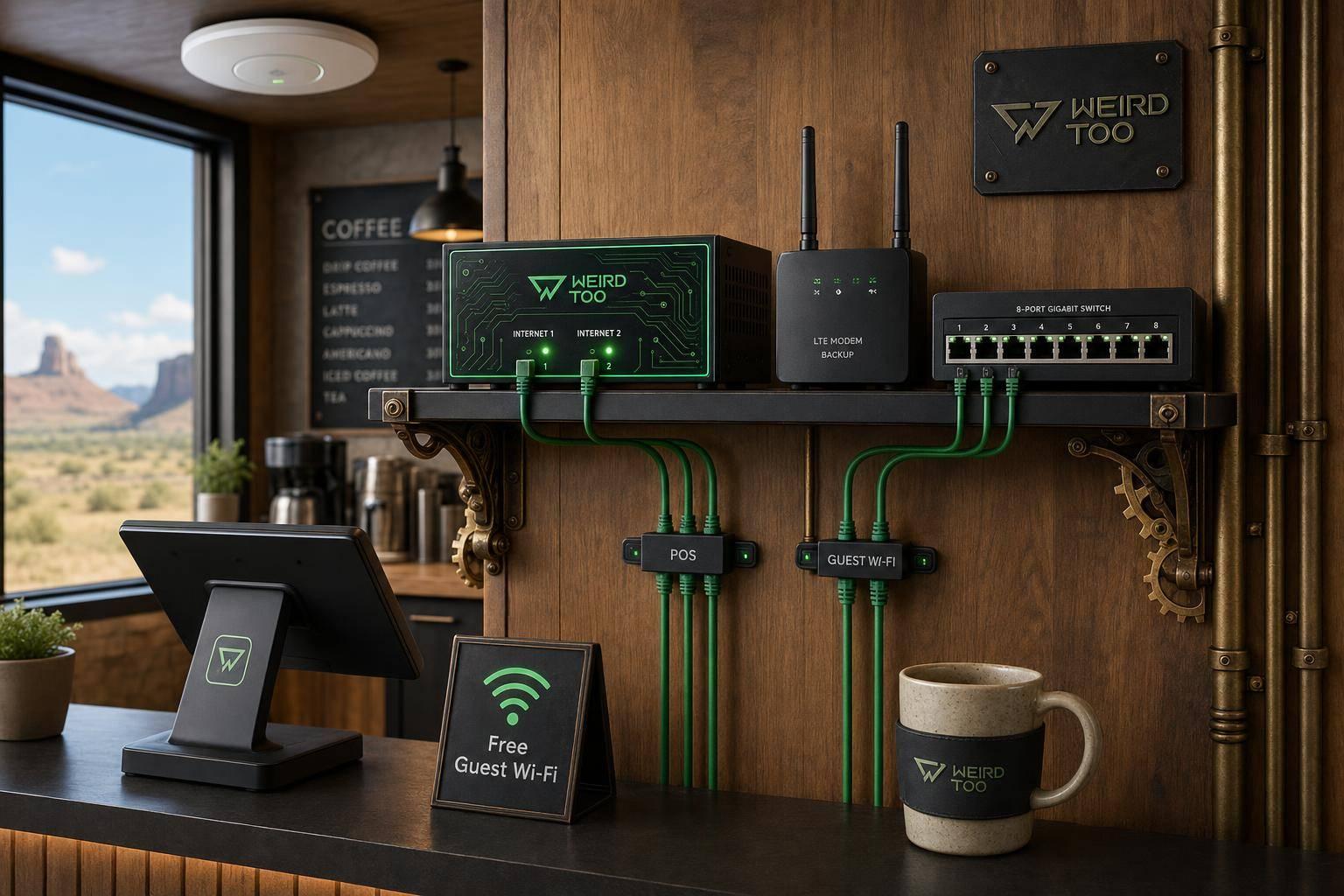
Affordable Network Equipment for Local Cafés Owners in Native American Reservations
By weirdtoo·July 27, 2026·13 min read
Budget network gear and failover tips to keep POS and guest Wi‑Fi running on tribal reservations with limited broadband.
Affordable Network Equipment for Local Cafés Owners in Native American Reservations
Affordable Network Equipment for Local Cafés Owners in Native American Reservations
A practical buying guide for café owners operating on Native American reservations, where broadband infrastructure is historically scarce and connectivity is often delivered through tribal-owned wireless networks, fixed wireless, or satellite services. The guide recommends budget-friendly routers, switches, Wi-Fi access points, and security devices that can survive unreliable last-mile connections, support POS terminals and guest Wi-Fi, and scale as the business grows. It emphasizes dual-WAN failover (so a Starlink or cellular hotspot can back up a fixed-wireless link), VLAN segmentation for POS vs. customer traffic, and cloud-managed equipment that non-technical owners can configure from a phone.
Business Type
Local Café
Region
Native American Reservations (rural and underserved tribal lands across the U.S., including the Navajo Nation, Standing Rock Sioux, Lower Brule Sioux, Pueblo of Laguna, and Yurok/Karuk/Hoopa territories)
Region-Specific Connectivity Challenges
Native American reservations are among the least-connected communities in the United States. Historically, many reservations have poor telecommunications infrastructure, including a lack of high-speed internet access and weak or absent cellular and landline telephone service. The Navajo Nation alone spans roughly 27,000 square miles across New Mexico, Arizona, and Utah, with homes scattered across vast remote terrain where fiber and cable are unavailable. Tribal lands often rely on tribally-owned wireless ISPs (e.g., Standing Rock Telecom/Rock Wireless, Sacred Wind Communications, K'awaika Hanu Internet at Pueblo of Laguna) that broadcast signal over the 2.5 GHz, 3 GHz, CBRS, or 5 GHz bands from water towers and rooftops. Power outages from snowstorms and severe weather are common, and a single WAN link can drop without warning. For a café owner, this means the network gear must tolerate intermittent connectivity, automatically fail over to a secondary link (Starlink or a phone hotspot), and let the owner manage everything remotely via a phone app when an on-site IT visit is impractical.
Types of Network Equipment Covered
- Router
- Access Point
- Switch
- Security Gateway / Firewall
- Satellite Internet Terminal
- Wi-Fi Extender / Mesh Node
Recommended Products
- TP-Link ER605 (Omada Gigabit VPN Router)
- TP-Link Festa F54 (AC1750 Ceiling-Mount Wi-Fi 5 Access Point)
- ASUS ExpertWiFi EBR63 (AX3000 Wi-Fi 6 All-in-One Router/AP/Switch/Gateway)
- ASUS ExpertWiFi EBG15 (Business VPN Router)
- ASUS ExpertWiFi EBA63 (Access Point)
- NETGEAR GS305EP (5-Port Gigabit PoE+ Smart Essentials Switch)
- Peplink B One (Dual-WAN Wi-Fi 6 Enterprise Branch Router)
- Starlink Business / Standard Kit (satellite internet)
Key Features
- Dual-WAN / Multi-WAN failover (Starlink + cellular hotspot backup)
- Load balancing across WAN sources
- VLAN support for POS vs. guest network segmentation
- Up to 5 SSIDs (Self-Defined Networks) for employees, guests, IoT, VPN
- Cloud-based centralized management (Omada, Festa, ExpertWiFi app)
- Wi-Fi 6 (AX3000) dual-band connectivity
- PoE+ output to power access points and IP cameras
- Commercial-grade firewall / Safe Browsing / AiProtection Pro
- Site-to-site VPN for multi-location cafés
- USB mobile hotspot failover
- Mesh scalability (up to 12 nodes / 100+ active devices)
Product Recommendations & Rationale
TP-Link ER605 Omada Gigabit VPN Router (~$60) — The most affordable backbone router in this guide. It offers up to 3 WAN Ethernet ports plus 1 USB WAN, SPI firewall, load balancing, and Omada SDN cloud management with no subscription fees. For a reservation café, the USB WAN port can tether to a phone hotspot as a backup when the tribally-owned wireless ISP drops, and the multi-WAN load balancing keeps the POS terminal online while customers browse on guest Wi-Fi. Pair it with the free Omada Cloud Standard controller for remote management. TP-Link Festa F54 AC1750 Ceiling-Mount Access Point — A budget-friendly, business-class AP with free cloud-based centralized management via the Festa app or web. Ideal for cafés that need reliable customer Wi-Fi coverage across a dining room without paying for a full enterprise license. MU-MIMO supports multiple simultaneous customers streaming or working on laptops. ASUS ExpertWiFi EBR63 (AX3000 Wi-Fi 6 All-in-One) — Explicitly marketed by ASUS for cafés with limited space. Combines router, switch, access point, and security gateway in one device. Supports up to 5 SSIDs (employees, guest portal, IoT, VPN, scheduled networks), VLAN management, customizable guest portal branding, and dual-WAN with USB mobile hotspot failover. AiProtection Pro provides commercial-grade security with no subscription fee. Scales to 12 mesh nodes and 100+ active devices as the café grows. ASUS ExpertWiFi EBG15 (~$95) — A compact, TAA-compliant business router with 3 WAN Ethernet ports, VLAN support, USB backup WAN, and AiProtection. A strong fit for cafés that already have a separate access point and just need a reliable, secure gateway with cellular/Starlink failover. ASUS ExpertWiFi EBA63 Access Point — Recommended by ASUS to pair with the EBR63 for cafés needing broader coverage. Adds Wi-Fi 6 capacity in a ceiling- or wall-mountable form factor. NETGEAR GS305EP 5-Port Gigabit PoE+ Smart Essentials Switch (~$55) — Powers the Festa F54 or EBA63 access point over a single Ethernet cable, eliminating the need for a separate power outlet near the ceiling. Easy Smart management gives VLAN and QoS controls without enterprise complexity. Peplink B One Dual-WAN Wi-Fi 6 Router (~$299–$359) — The premium pick for cafés that depend on Starlink plus a tribally-owned wireless link. Built-in SpeedFusion Hot Failover, WAN Smoothing, and Bandwidth Bonding combine two ISP connections (e.g., Starlink + fixed wireless) into a single reliable pipe, so POS transactions never drop. Operates from -40°F to 113°F, tolerating harsh reservation climates. Integrates natively with Starlink and 5G/LTE gateways. Starlink (Standard or Business kit) — For cafés on reservations with no fixed broadband, Starlink has proven transformative. The Fishtail Coffee Cabin in rural Montana credited Starlink with enabling high-speed internet for both POS and tourist Wi-Fi, and Kopi Mulo in Timika, Papua saw revenue jump nearly 5x after installation. Starlink also keeps running when local power grids fail during snowstorms, as long as the café has a generator or battery. Pair Starlink with the Peplink B One or TP-Link ER605 for automatic failover.
Performance Metrics
Performance Metrics ### ASUS ExpertWiFi EBR63 (Recommended All-in-One)
- Wi-Fi: Wi-Fi 6 (802.11ax) dual-band, AX3000 (2402 Mbps on 5 GHz + 574 Mbps on 2.4 GHz)
- Coverage: Suitable for cafés up to ~2,500 sq ft
- Device capacity: Up to 100 concurrent devices
- SSIDs: Up to 5 separate networks with VLAN segmentation
- Ports: 1× Gigabit WAN, 4× Gigabit LAN, 1× USB 3.2 Gen 1, 1× USB 2.0
- Processor: 1.7 GHz quad-core, 512 MB RAM
- Security: AiProtection Pro (free, lifetime), WPA3, site-to-site VPN ### TP-Link ER605 V2 (Budget Gateway)
- WAN ports: Up to 3 WAN Ethernet + 1 USB WAN
- Throughput: Gigabit SPI firewall, Omada SDN integrated
- VPN: IPsec, PPTP, L2TP, OpenVPN
- Best for: Wired-only setups where Wi-Fi is provided by separate APs ### TP-Link ER706W (Wi-Fi 6 Gateway with Mesh)
- Wi-Fi: AX3000 dual-band Wi-Fi 6
- WAN: Gigabit WAN + USB WAN for 4G failover
- Management: Omada SDN centralized cloud management
- Best for: Cafés needing mesh expansion and LTE backup ### TP-Link Festa FR307-M2 (Premium Multi-Gig)
- Ports: 2× 2.5G RJ45 + 1× Gigabit SFP + 4× Gigabit RJ45 + 1× USB 2.0
- VPN throughput: IPsec up to 673 Mbps, OpenVPN 135 Mbps
- Sessions: 500,000 concurrent, 6,000 new sessions/sec
- WAN load balancing: Up to 6 WAN ports
- Best for: Cafés with multi-gig fiber or multiple ISP links ### Starlink Performance (for the WAN link)
- Residential: 50–200 Mbps typical, $120/month
- Business Standard: 40–220 Mbps, 1 TB priority data, $250/month
- Roam Unlimited: Up to 300 Mbps, $165/month, portable
Setup Difficulty
Easy to Moderate
Step-by-Step Setup Instructions
sbb-itb-342b8b2
Step-by-Step Setup Guide for Café Owners on Tribal Lands ### Before You Start
- Check your connectivity options. Many reservations have limited wired broadband. Before buying equipment, confirm what service is available at your address: fixed wireless from a tribal ISP, Starlink satellite, or 4G/5G cellular. The Lower Brule Sioux Tribe and Hoopa Valley's Acorn network show that tribally-owned wireless networks can deliver affordable service where commercial ISPs won't go.
- Apply for the Affordable Connectivity Program (ACP) Enhanced Tribal Benefit. Eligible households on qualifying Tribal lands can receive up to $75/month off internet service and a one-time $100 device discount. This can effectively make a $75/month Starlink or fixed-wireless plan free.
- Pick a primary router. For most small cafés, the ASUS ExpertWiFi EBR63 ($150) is the simplest all-in-one starting point because it combines router, switch, and security gateway functions, supports up to 5 SSIDs, VLANs, a guest portal, and site-to-site VPN. ### Hardware Setup (ASUS ExpertWiFi EBR63 example)
- Unbox the router and place it near the center of your café, ideally elevated and away from the kitchen's metal appliances and microwave (which cause interference).
- Connect the WAN port to your modem, Starlink router (in bypass mode), or fixed-wireless outdoor unit using the included Ethernet cable.
- Plug in the power adapter and wait 1–2 minutes for the unit to boot.
- Connect a laptop to the router via Ethernet or the default Wi-Fi network printed on the bottom label.
- Open a browser and go to http://expertwifi.net. The Quick Internet Setup (QIS) wizard will auto-detect your connection type (DHCP, PPPoE, etc.).
- Create separate SSIDs using the Self-Defined Networks feature: one for staff/POS, one for customers (guest), one for IoT (music system, smart plugs), and one for management. Enable VLAN segmentation so the guest network is isolated from your POS terminal.
- Set up the guest portal with your café's branding and a simple click-through ToS. This is required by most tribal public Wi-Fi deployments and is built into the EBR63 at no extra cost.
- Enable AiProtection Pro (free, no subscription) to block malicious sites and protect customer devices.
- Configure a backup WAN by plugging a 4G LTE dongle or a tethered phone into the USB 3.2 port. The EBR63 will automatically fail over to cellular when your primary link drops — critical on reservations where weather and power outages are common.
- Test the network by connecting a phone, a POS terminal, and a laptop simultaneously. Run a speed test on each SSID. ### Optional: Add Cellular Failover or LTE Gateway
If your café is in an area with especially unreliable broadband, consider the TP-Link ER706W-4G (~$180) which combines 4G/LTE and Ethernet WAN load balancing with centralized cloud management. For a more scalable build with PoE-powered access points, the TP-Link ER706WP-4G adds PoE+ ports plus 4G failover. ### Optional: Starlink Setup - Mount the Starlink dish on the roof with a clear view of the sky (no trees, buildings, or mesas blocking the horizon).
- Run the included cable into the café and connect to the Starlink router.
- Put the Starlink router in bypass mode and connect your own business-grade router (EBR63 or ER706W) to the Starlink Ethernet adapter. This gives you VLAN control, guest portals, and dual-WAN failover.
- Pair Starlink with a 4G/5G cellular backup for true business continuity during snowstorms or satellite outages — exactly what the Fishtail Coffee Cabin in rural Montana relies on.
Troubleshooting Tips
Troubleshooting Tips for Reservation Cafés ### Connectivity Issues
- Weak or no signal on tribal lands: Thick forests, rocky terrain, and remote geography make wireless coverage difficult. The Hoopa Valley reservation in California spans 140 square miles of montane evergreen forest where HughesNet was the only option for many residents before Acorn launched. If your fixed-wireless signal is weak, consider an external LTE antenna or a mesh of access points.
- Starlink obstructions: Use the Starlink app's obstruction checker before mounting. Even partial blockage from trees or buildings causes dropouts. The COFFEE BEAR café site inspection found the rooftop was the only viable mount point.
- Power outages during storms: Cellular and Starlink both need power. The Fishtail Coffee Cabin specifically praised Starlink because it can run off a generator or battery when the grid goes down. Pair your router with a small UPS (~$60) so the network stays up during brief outages.
- Slow speeds during peak hours: Starlink deprioritizes Residential and Roam users during congestion. If your café is busy in the evenings, the Business Standard plan ($250/mo, 1 TB priority data) provides consistent throughput. ### Setup Issues
- Can't reach the router login page: Make sure you're connected to the router's network (not your old Wi-Fi). Try http://expertwifi.net or 192.168.50.1 in your browser.
- QIS wizard doesn't detect your ISP: Click "Skip to manual setting" and enter your connection type (DHCP for most Starlink setups, PPPoE for some fixed-wireless ISPs).
- Guest network can access POS: You forgot to enable VLAN isolation. In the EBR63 Self-Defined Networks menu, make sure the guest SSID is on a separate VLAN from your staff/POS network.
- USB LTE dongle not recognized: The EBR63 supports most major USB LTE modems, but check ASUS's compatibility list. If yours isn't supported, the ER706W-4G has a built-in Cat6 4G/LTE modem and is a more reliable choice.
- Tribal address not recognized by USPS: The ACP allows descriptive addresses for Tribal lands where USPS doesn't recognize every location. Contact your ISP or USAC for help verifying Tribal lands eligibility. ### Security Issues
- Suspicious devices on guest network: Enable MAC address filtering and session time limits on the guest portal. Rotate the guest Wi-Fi password monthly.
- POS terminal compromised: Keep POS on a dedicated VLAN with strict firewall rules. Never let the guest network reach the POS subnet.
Price Range
Budget to Mid-range ($60–$500 for hardware, plus $0–$250/month for internet)
Total Cost of Ownership (Estimated 3 Years)
$1500
Cost Comparison
Cost Comparison: Budget vs. Premium Builds ### Budget Build (~$250–$400 hardware)
- Router: TP-Link ER605 V2 — ~$60 on Amazon. Wired-only VPN gateway with SPI firewall, Omada SDN integration, and load balancing. No built-in Wi-Fi, so pair with a separate access point.
- Access Point: TP-Link EAP670 (Wi-Fi 6, 2.5G PoE) — ~$128 each.
- Total: ~$316 for a router + 2 APs covering a small café. No monthly fees. Omada controller software is free. ### Recommended Mid-Range Build (~$150–$500 hardware)
- All-in-one router: ASUS ExpertWiFi EBR63 — $150. Combines router, switch, gateway, and Wi-Fi 6 in one box. No subscription required for AiProtection Pro or guest portal.
- Optional add-on: TP-Link ER706W-4G — ~$180. Adds 4G/LTE failover for reservations with unreliable broadband.
- Total: $150–$330. No monthly software fees. ### Premium Build (~$500–$800 hardware)
- Gateway: TP-Link Festa FR307-M2 — $479. Multi-gigabit (2× 2.5G + 5× Gigabit + 1 SFP), 100 IPsec VPN tunnels, free cloud management via Festa app, load balancing on up to 6 WAN ports.
- Access Points: 2× TP-Link EAP670 — ~$256.
- Total: ~$735. Best for cafés that need multi-gig fiber, multiple WAN links, or site-to-site VPN to a second location. ### Value Notes
- Omada vs. UniFi: A comparable UniFi build (UDM Pro + 2× U6 Pro + USW-Lite-8-PoE) runs ~$806 vs. ~$531 for the Omada equivalent — Omada is roughly 34% cheaper for the same functional setup.
- Internet cost on tribal lands: Starlink Residential is $120/month ($499 hardware). With the ACP Enhanced Tribal Benefit ($75/month off), the effective cost drops to $45/month. Tribally-owned networks like Acorn on the Hoopa Valley reservation price service at exactly $75/month so the ACP credit covers it entirely.
- No subscription fees: All recommended routers (EBR63, ER605, ER706W, Festa FR307-M2) include their full feature set with no monthly cloud fee, unlike Netgear Orbi or Eero which charge for advanced features.
Scalability Advice
Scaling Your Café Network as You Grow ### Stage 1: Single Café (0–1,500 sq ft)
- Setup: One ASUS ExpertWiFi EBR63 covers the entire space. Create 3 SSIDs: Staff/POS, Guest, IoT.
- Cost: ~$150 one-time, no monthly fees. ### Stage 2: Adding a Patio, Drive-Thru, or Outdoor Seating (1,500–3,000 sq ft)
- Add a weatherproof access point like the TP-Link EAP670 (indoor) or EAP610-Outdoor for patio coverage. Both integrate into the EBR63's Self-Defined Networks.
- Add LTE failover by plugging a 4G dongle into the EBR63's USB port, or upgrade to the TP-Link ER706W-4G for built-in Cat6 LTE.
- Cost: +$130–$300. ### Stage 3: Opening a Second Location or Food Truck
- Upgrade to a managed system like TP-Link Omada (ER7206 router + OC200 controller + multiple EAP670 APs) or TP-Link Festa (FR307-M2 gateway + Festa APs). Both support multi-site management from a single cloud dashboard.
- Use site-to-site VPN to link the two locations — both the EBR63 and Festa FR307-M2 support this natively.
- Cost: ~$500–$800 per location. ### Stage 4: Multi-Site Tribal Café Chain or Community Hub
- Consider Cisco Meraki cloud-managed gear as used in the AtLink tribal broadband blueprint. Meraki is more expensive but offers zero-touch provisioning, which is ideal when you can't easily send an IT person to a remote reservation.
- Partner with your tribal government to apply for NTIA Tribal Broadband Connectivity Program grants. The Biden-Harris administration awarded $4.5 million to 9 tribes in 2023, with grants of $500,000 each for broadband infrastructure deployment that can include public Wi-Fi at community anchor institutions like cafés.
- Explore tribally-owned network models like the Lower Brule Sioux Tribe's $250,000 wireless network or Hoopa Valley's Acorn, which lets the tribe buy wholesale internet and resell it affordably to local businesses. ### General Tips
- Buy business-grade gear from day one if you plan to grow. Consumer routers (Netgear, TP-Link Archer series) lack VLANs, guest portals, and centralized management — features you'll need the moment you open a second location.
- Use wired Ethernet for POS terminals and any business-critical device. Wi-Fi is for guests; Ethernet is for money.
- Document your SSIDs, VLANs, and passwords in a secure password manager. Tribal businesses often rely on a single tech-savvy person — make sure the knowledge isn't locked in one head.
Support and Warranty
## Support and Warranty ### ASUS ExpertWiFi EBR63 - Warranty: 2–3 years limited warranty (varies by region; ASUS USA typically offers 2 years) - Support: Free firmware updates for the life of the product, online knowledge base, phone and email support during business hours - Software: AiProtection Pro security included free for life (no subscription) ### TP-Link ER605 / ER706W / Festa Series - Warranty: Limited lifetime warranty on most Omada and Festa business products (TP-Link's standard for SMB gear) - Support: 24/7 technical support, free firmware updates, Omada/Festa cloud management included free - TP-Link EAP670 access point: 5-year warranty ### Starlink - Warranty: 2-year limited warranty on Standard and High Performance kits - Support: 24/7 customer support via the Starlink app, online help center, and phone - Service: No long-term contract on Residential or Roam plans; cancel anytime ### General Notes for Tribal Land Customers - Shipping to remote reservations can take longer than standard delivery. Order hardware well in advance of your opening date. - Local IT support is scarce on many reservations. Choose vendors with strong self-service apps (ASUS ExpertWiFi app, TP-Link Omada/Festa app) so you can manage the network yourself without calling a technician. - Tribal Broadband Connectivity Program grants can sometimes cover equipment costs for businesses that serve as community anchor institutions — check with your tribal government.
Where to Buy
Related Weird Too links
Keep following this lane
Current contact path
Need Weird Network WiFi, custom apparel, or scoped help?
Use the contact form; removed product, checkout, research, and newsletter funnels stay offline.